How Can I Sync Music to iPod Without iTunes in 2026

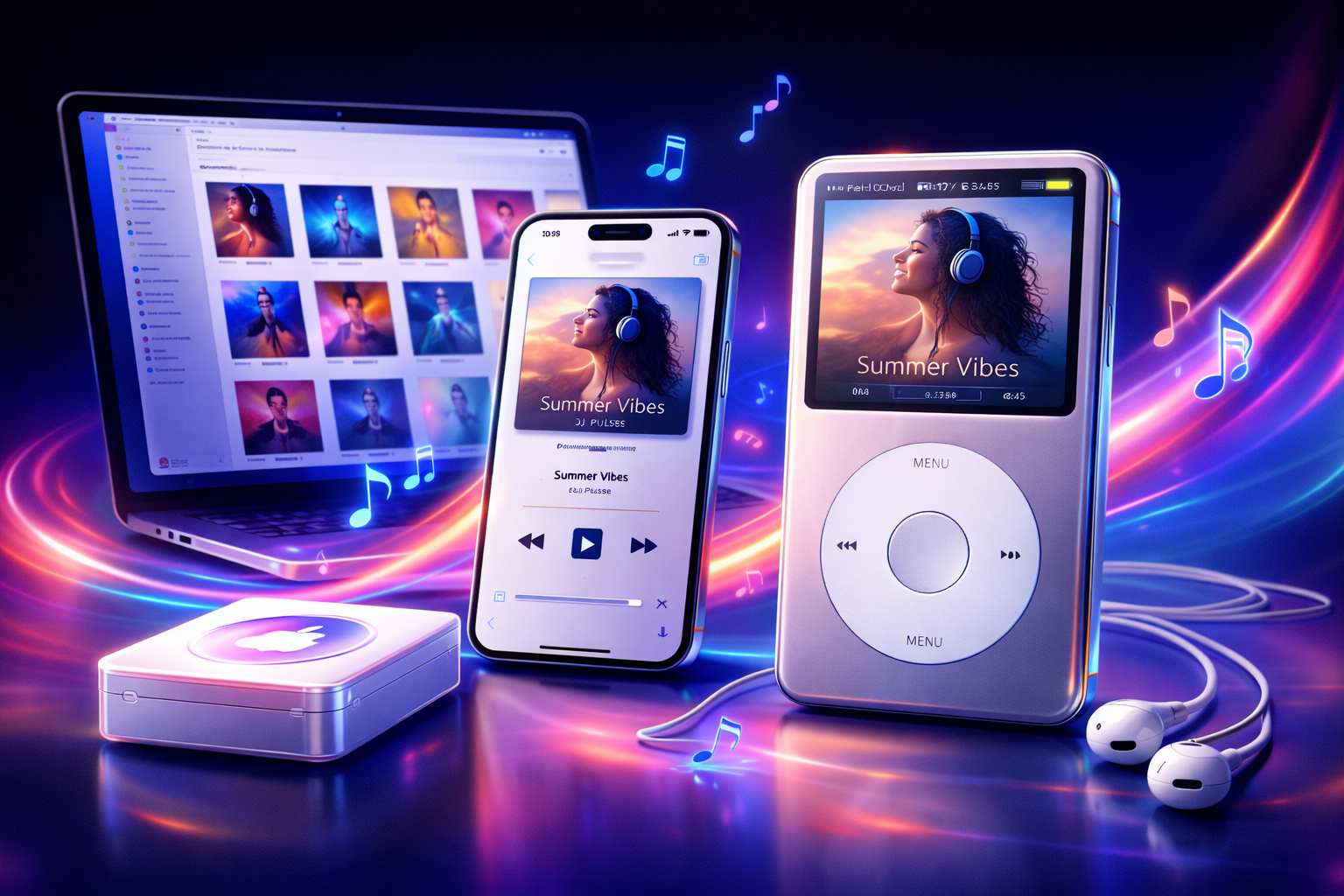
TL;DR
- iTunes is no longer required to add music to an iPod
• Many users avoid iTunes because syncing can overwrite libraries
• WALTR lets you drag and drop music directly to iPod
• Songs appear instantly in the iPod Music app
Intro
For years, adding music to an iPod meant dealing with iTunes syncing.
That system worked, but it was also frustrating. Syncing often replaced your music library or required complicated settings.
In 2026, most people prefer a simpler approach. Instead of syncing entire libraries, they transfer music directly to the device.
This makes adding songs to an iPod much faster and easier.
Quick Answer: Can You Sync Music to iPod Without iTunes?
Yes.
You can add music to an iPod without iTunes by transferring songs directly from your computer.
The easiest method is using WALTR, which allows you to drag and drop music files to your iPod.
WALTR automatically converts and transfers the audio so it appears instantly in the Music app on the iPod.
Why Many People Avoid iTunes
iTunes syncing was designed around managing full music libraries.
That approach created a few problems.
• syncing could overwrite existing music
• the interface was complicated
• transferring individual songs was difficult
• file formats were limited
Because of this, many users now prefer direct file transfer instead of syncing.
If you are moving files between your devices, this guide explains how syncing works.
The Easier Way to Add Music to iPod
Instead of syncing libraries, the WALTR PRO app lets you transfer songs directly.

WALTR PRO
Convert & Push Any File into Any Apple Device
This approach is much simpler.
You just drop your music files into the app and they appear on your device.
WALTR automatically handles:
music transfer
format conversion
artwork and metadata
compatibility with iPod and iPhone
For millions of, it has already become the easiest and fastest way to add music to an iPod.
Step-by-Step: Sync Music to iPod Without iTunes
WALTR PRO
Convert & Push Any File into Any Apple Device
1. Download the app & Connect your iPod
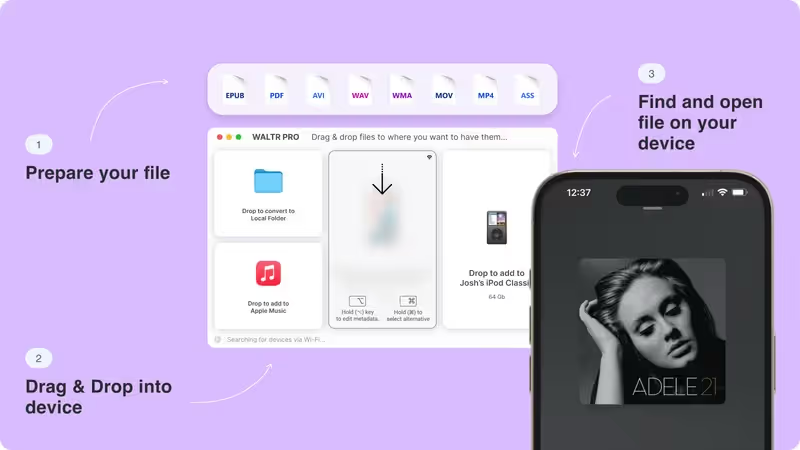
- Connect your iPod to your computer using a USB cable or Wi-Fi.
- Open WALTR and wait for the device to appear.
- The app detects your device automatically.
2. Drag and drop your music
Drag the songs you want into the WALTR window.
Supported formats include:
MP3
FLAC
AAC
WAV
WALTR converts unsupported formats automatically and instantly.
3. Enjoy your music
Once transferred, the songs appear instantly in the Music app on your iPod.
You can play them just like music synced through iTunes.
No library syncing required.
Why WALTR Works Better Than iTunes
iTunes was built for managing full music libraries.
WALTR focuses on quick transfers instead.
This makes the process much easier.
With WALTR you can:
drag and drop songs
transfer entire albums instantly
send files without syncing libraries
add music in seconds
For most people, it has already become the simplest way to manage music on Apple devices.
Key Takeaways
• iTunes is no longer required to add music to an iPod
• syncing libraries can overwrite existing music
• direct transfers are faster and easier
• WALTR lets you drag and drop songs to your iPod• music appears instantly in the device Music app
Related Guides
If you are transferring media between devices, these guides may help.
• How to add music to iPhone
• How to sync iPhone to computer.
• How to backup iPhone to computer.
Next Step
If you want the easiest way to add music to an iPod without iTunes, try WALTR.
You simply drag music files into the app and they appear instantly in your device’s Music app. No syncing, no complicated settings.
FAQs
Can you still use an iPod without iTunes?
Yes. Music can be transferred directly from a computer using file transfer tools instead of iTunes syncing.
How do I add MP3 files to an iPod?
You can transfer MP3 files directly from your computer to the device using drag and drop transfer tools.
Does iTunes still work with iPods in 2026?
Yes, but many users avoid it because syncing libraries can overwrite existing music.
What music formats work on iPod?
Common formats include MP3, AAC, ALAC, and WAV.
Is there an easier way to transfer music to an iPod?
Yes. Some tools allow you to drag and drop music directly to the device without syncing libraries.
WALTR PRO
Convert & Push Any File into Any Apple Device
