How to Transfer Photos from iPhone to Computer


TL;DR: The safest way to transfer photos from iPhone to computer is to create a local copy. If you are on Windows and want the least Apple drama, export iPhone photos to a Windows PC with AltTunes (https://softorino.com/alttunes).
How to Transfer Photos from iPhone to Computer
The safest way to transfer photos from iPhone to computer is to create a local copy. Use a USB export when you want real files on your PC or Mac. Use iCloud when you want automatic access across devices. Use AirDrop for a few photos, not a whole library.
If you are on Windows and want the least Apple drama, export iPhone photos to a Windows PC with AltTunes (https://softorino.com/alttunes). It copies photos and videos locally, can browse your iPhone library from the computer, and avoids iCloud storage limits.
Quick answer: the best ways to transfer photos from iPhone to computer
Quick takeaways
- AltTunes: best for Windows users who want a local photo export, full-library browsing, and HEIC to JPEG conversion without iCloud or iTunes.
- Windows Photos: best for a basic USB import when your iPhone appears correctly and the Photos app behaves.
- File Explorer: best for manual DCIM folder copying on Windows. It works, but the folders can look like a junk drawer.
- Mac Photos: best when you want imports inside the Photos library on a Mac.
- Image Capture: best on Mac when you want normal files in a folder or external drive.
- iCloud Photos: best for automatic sync, but it needs internet and enough iCloud storage.
- AirDrop: best for sending a small batch from iPhone to Mac. It is Mac-only.
Sync is not the same as a local backup. iCloud Photos keeps devices connected, so changes can sync too. A USB export gives you independent files on your computer.
Before we begin
Windows users should download AltTunes to browse iPhone photos and export selected images or albums to a computer without iTunes. Connect the iPhone with a data-capable cable and approve the Trust prompt before opening the photo library.
People search this topic because Apple uses the word sync everywhere. That word creates the mess. Sync means your devices try to show the same library. Backup means you have a separate copy you can keep even if something changes on the iPhone.
iCloud Photos is useful if you want your photos on every Apple device. It is less useful when your goal is a cold copy on a computer, an external drive, or a folder you control. Apple also gives every account 5GB of free iCloud storage, which runs out fast if your camera roll includes videos.
- Use local export when you want offline files you can move, rename, or back up again.
- Use iCloud Photos when you want automatic access across devices and already pay for enough storage.
- Use AirDrop when you need to move a few selected photos from iPhone to Mac.
- Download originals first if iCloud Photos keeps only smaller previews on your iPhone.
Method 1: Transfer photos from iPhone to PC with AltTunes
AltTunes is the cleanest fit for Windows users who want to transfer photos from iPhone to computer without wrestling iTunes, iCloud for Windows, or random Windows import prompts. It works locally over USB and is built for iPhone and iPad data export on Windows 10 and Windows 11.
Use this method when you want to copy photos and videos to a PC or external drive, browse your iPhone library from the computer, export a whole library, or convert HEIC photos to JPEG for easier Windows use.
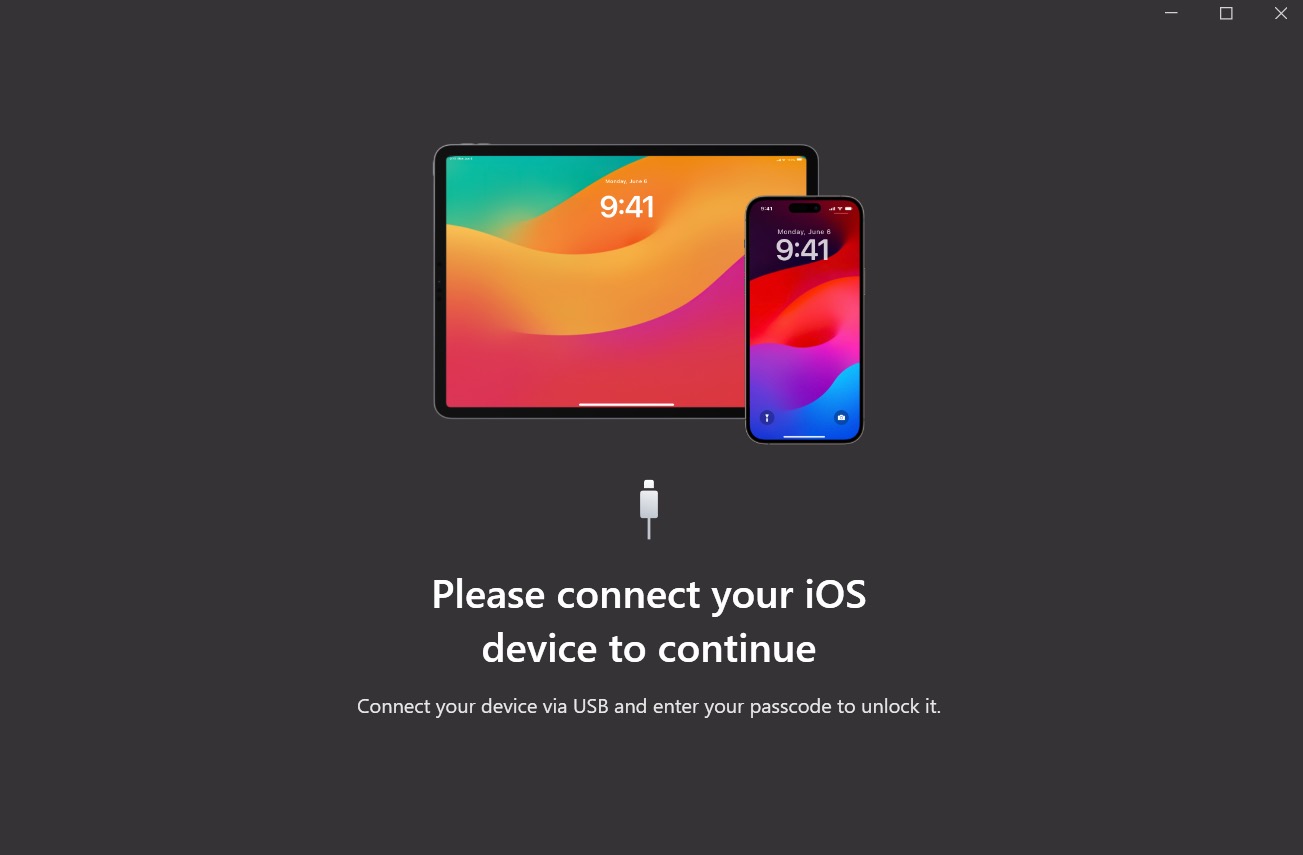
Step 1: Connect your iPhone to your Windows PC
- Plug your iPhone into the PC with a data-capable USB cable.
- Unlock the iPhone.
- Tap Trust This Computer if iOS asks.
- Open AltTunes and wait for the iPhone to appear.
If the phone only charges, swap the cable before blaming the app. Some cheap cables move power but not data. Apple and Microsoft both call out unlocking and trusting the device as required steps for USB import.
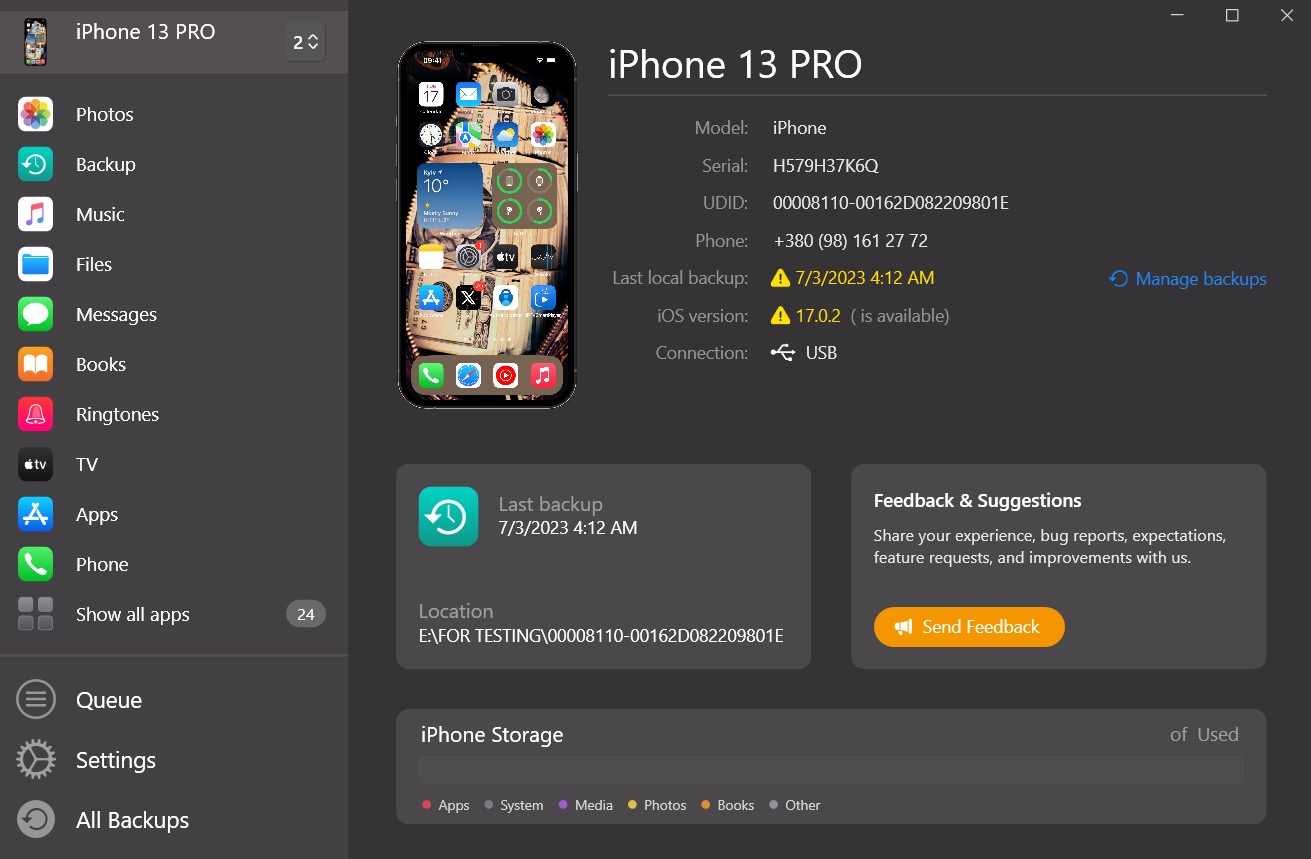
Once AltTunes sees your iPhone, you can browse the device from your PC instead of hunting through Windows dialogs.
Step 2: Select the photos or albums you want to export
Open the Photos section in AltTunes. Select specific photos, albums, or the full library. This is the main reason to use a dedicated iPhone manager instead of File Explorer: you can work with the library in a more human way.
- Choose selected photos when you only need a few shots.
- Choose albums when you already organize photos on the iPhone.
- Choose full-library export when you want a proper local backup.
- Use HEIC to JPEG conversion if your Windows workflow does not like HEIC files.
Step 3: Save the export somewhere you can back up
Pick a destination folder on your PC or an external drive. After export, your photos are normal files. You can move them, copy them to another backup drive, upload them to another cloud service, or sort them by project.
Exporting photos should create a copy. It should not delete the originals from your iPhone. Do not delete anything from the iPhone until you open the exported folder and confirm the files are where you expect them to be.
Method 2: Import photos from iPhone to PC with Windows Photos
Windows Photos can import photos from an iPhone over USB. This is the built-in route Microsoft documents, and it is fine for basic transfers when Windows detects the iPhone correctly.
- Connect the iPhone with a USB cable.
- Unlock the iPhone and tap Trust or Allow.
- Open the Photos app on Windows.
- Choose Import, then import from a connected device.
- Select the photos and the destination folder.
- Wait for the import to finish before unplugging the phone.
This method can fail for boring reasons. The iPhone is locked. The cable only charges. Windows needs an update. iCloud Photos stores the full-resolution originals in iCloud, so the PC cannot import what is not fully on the device.
Use Windows Photos first if you only need a simple import. Use AltTunes when you want more control, library browsing, full-library export, or a fallback after Windows Photos refuses to see your phone.
Method 3: Copy iPhone photos with File Explorer and DCIM
File Explorer gives you the most manual way to copy photos from iPhone to computer on Windows. It exposes the iPhone camera folder so you can copy files like you would from a camera card.
- Connect and unlock the iPhone.
- Tap Trust This Computer.
- Open File Explorer on Windows.
- Go to This PC > Apple iPhone > Internal Storage > DCIM.
- Open the folders and copy photos or videos to your PC.
The catch is organization. DCIM folders can look random, especially if your library is large. You may see multiple folders instead of albums. That is normal. It is still useful when you want direct files and do not care about a pretty import flow.
Method 4: Transfer photos from iPhone to Mac with Photos or Image Capture
Mac users have better built-in options than Windows users. If you want everything inside the Mac Photos library, use the Photos app. If you want files in a normal folder, use Image Capture.
Use the Mac Photos app
- Connect your iPhone to the Mac.
- Unlock the iPhone and trust the Mac if asked.
- Open Photos on the Mac.
- Choose your iPhone in the sidebar.
- Import selected photos or all new photos.
Photos is good if you live inside Apple Photos. It is not as good if you want a plain folder of image files on an external drive.
Use Image Capture for folder exports
Image Capture is the quiet Mac utility that does the practical job. Connect the iPhone, open Image Capture, choose the destination folder, then import selected photos or everything. Use it when you want files instead of a managed Photos library.
Method 5: Use iCloud Photos or iCloud.com
iCloud Photos is the right choice when your goal is access, not a one-time local export. Turn on iCloud Photos, let the library sync, then download photos on your Mac, Windows PC, or from iCloud.com.
The tradeoff is storage and control. iCloud needs internet. Large libraries may need paid storage. If you delete a photo from one synced device, that change can affect the synced library. That is why a local export still matters when the goal is a backup.
Apple explains the official transfer paths in its iPhone photo transfer guide (https://support.apple.com/en-us/120267). Microsoft documents the Windows import flow in its phone-to-PC import guide (https://support.microsoft.com/en-us/windows/import-photos-and-videos-from-phone-to-pc-198f2301-e9a7-c734-5f39-a8946a5ebc99). Use those official routes when they fit. Use AltTunes when Windows makes the simple thing annoying.
Method 6: AirDrop photos from iPhone to Mac
AirDrop is great for a small batch of photos from iPhone to Mac. It is not available for Windows, and it is not the best tool for a massive camera roll.
- Open Photos on iPhone.
- Select the photos you want to send.
- Tap Share.
- Choose AirDrop.
- Pick your Mac and accept the transfer.
If you often move files between iPhone and computer, read Softorino's guide on syncing music from computer to iPhone (https://softorino.com/blog/sync-music-computer-to-iphone) too. If you are cleaning up more than photos, the related guide on syncing contacts between iPhone and computer (https://softorino.com/blog/sync-contacts-iphone-computer) covers another common backup problem.
Troubleshooting: why iPhone photos will not import
Most import failures are not mysterious. They come from the same few problems: the iPhone is locked, the trust prompt was missed, the cable is charge-only, or iCloud keeps originals off the device.
- Unlock the iPhone before importing.
- Tap Trust This Computer or Allow when prompted.
- Use a USB cable that supports data transfer.
- Try another USB port on the computer.
- Restart the iPhone and the computer.
- Update Windows, Apple Devices, iTunes components, or iCloud for Windows if you use them.
- If iCloud Photos is on, download originals to the iPhone before a USB import.
- If Windows struggles with HEIC, convert to JPEG during export or set the iPhone camera to Most Compatible for future photos.
Do not delete photos from your iPhone until you verify the exported files. Open the folder, check a few photos and videos, then back up that folder somewhere else.
Which method should you use to transfer photos from iPhone to computer?
Use AltTunes if you are on Windows and want a direct local export with less friction. Use Windows Photos if you want the built-in option and it detects the iPhone.
Use File Explorer when you want raw files and can tolerate messy folders. Use Mac Photos if you want everything inside Apple Photos. Use Image Capture if you want files on a Mac. Use iCloud Photos if you want sync across devices.
For a real backup, local export wins. Once the photos live on your computer, copy them to an external drive or another backup location. One copy on one laptop is better than nothing, but it is still one accident away from gone.
If you need to move the finished file to an iPhone or iPad, WALTR PRO transfers files to iPhone without iTunes.
FAQ
Can I transfer photos from iPhone to computer without iCloud?
Yes. Use AltTunes, Windows Photos, File Explorer, Mac Photos, Image Capture, or AirDrop. iCloud is optional. A USB export is better when you want local files instead of synced access.
Does exporting photos delete them from my iPhone?
No. A normal export creates a copy on the computer. Keep the iPhone originals until you verify the exported files and decide what to delete.
What is the best way to transfer photos from iPhone to PC?
For a basic import, try Windows Photos. For a cleaner Windows workflow with library browsing, full-library export, and HEIC to JPEG conversion, use AltTunes.
Why are some iPhone photos missing when I import to Windows?
The iPhone may store full-resolution originals in iCloud, the phone may be locked, or Windows may not trust the device yet. Download originals, unlock the iPhone, tap Trust, and try again.
Are iPhone photos saved in original quality?
Direct file export keeps the original files unless you choose a conversion step such as HEIC to JPEG. Avoid sending photos through messaging apps if quality matters.
Does AltTunes work on Mac?
No. AltTunes is Windows-only today. Mac users should use Photos, Image Capture, AirDrop, or another Mac-compatible workflow.
How often should I back up iPhone photos?
Back up after important events, before deleting photos, before switching phones, and anytime your library changes enough that losing it would hurt.
Final take
If you want automatic access everywhere, use iCloud. If you want a real photo backup, transfer photos from iPhone to computer and keep the exported folder somewhere safe.
Windows users who want the direct route can download AltTunes (https://softorino.com/alttunes) and export iPhone photos to a PC or external drive without iCloud getting in the way. If you use more Softorino tools, you can also get all Softorino apps in one license (https://softorino.com/universal-license).

AltTunes
Seamlessly Browse, Manage & Export iOS Data
