YouTube to MP3 Converter: Save Audio Safely on Mac, Windows, and iPhone


Most converter pages look the same: paste a link, dodge the popups, hope the download button is real, then move the file yourself. That works until the site breaks, caps quality, or sends you through 4 tabs you did not ask for.
Softorino YouTube Converter PRO gives you a cleaner way to save YouTube audio as MP3 on Mac and Windows. Copy the YouTube link, choose MP3, and save the audio to your computer, iPhone, iPad, or iPod. No iTunes. No browser converter roulette.
Quick legal note before we touch anything: download only videos you own, have permission to use, or that YouTube and the creator allow for offline use. YouTube's terms explain the platform rules around downloads and access. If you want offline playback inside the YouTube app, YouTube Help explains Premium downloads inside the app.
Before we begin
Download SYC PRO on Mac or Windows to save permitted YouTube audio as MP3 or AAC and send it to an iPhone or iPad. Use only content you own or have permission to download, then choose the audio format before processing a batch.
Why use SYC PRO instead of a free YouTube to MP3 converter?
A free converter can be fine for a quick throwaway file. The problem is the trade-off. Many browser tools make money through ads, redirects, download buttons that all look real, and pages that change every week.
SYC PRO is different because it is an app, not a random web page. You install it on Mac or Windows, then use it when you need MP3 audio, MP4 video, playlists, or direct transfer to Apple devices.
Here is the practical difference:
Feature | SYC PRO | Typical online converter |
|---|---|---|
Download flow | Copy a link, choose MP3, save or transfer | Paste a link into a website and handle ads yourself |
iPhone transfer | Sends audio to iPhone, iPad, or iPod | Usually saves only to your computer |
Apple Music support | Can place audio in the native Music app | Requires manual transfer after download |
Metadata | Lets you edit title, artist, and artwork | Often leaves messy file names |
Formats | MP3, AAC, MP4, video quality options, playlists | Depends on the site |
Safety | No browser popups or redirect chains | Varies by site |
The main win is not only conversion. It is the whole path after conversion. If your real goal is to put a song, lecture, podcast clip, or training audio on your iPhone, a browser download is only half the job.
SYC PRO handles the download and the transfer in one place. That matters when you want the file in Apple Music instead of buried in Downloads.
Is converting YouTube audio safe?
Converting YouTube audio can be safe if you use the right workflow and respect the source content. The risky part is usually not the MP3 format. It is the website you use to get the file.
Watch for these warning signs on converter sites:
A desktop app reduces those browser risks. SYC PRO does not need popups or ad walls to convert a YouTube video. You copy the link, choose the output, and keep the file where you want it.
No converter can make YouTube's source audio better than it is. YouTube audio is already compressed. Choosing MP3 gives you a normal audio file, but it does not create studio quality out of a compressed upload. Pick a higher bitrate when the source supports it and when you care about listening quality.
For platform rules, check YouTube's official Terms of Service before downloading anything you do not own. For offline playback inside YouTube, use the official Premium download flow described in YouTube Help.
- The page opens new tabs before the download starts.
- Several buttons say Download, but only one is real.
- The site asks you to install a browser extension.
- The file name looks unrelated to the video.
- The page promises impossible quality from a low-quality source.
How to convert YouTube to MP3 with SYC PRO
This workflow works on Mac and Windows. You can save the MP3 to your computer or send it straight to an Apple device.
Step 1. Download and install SYC PRO
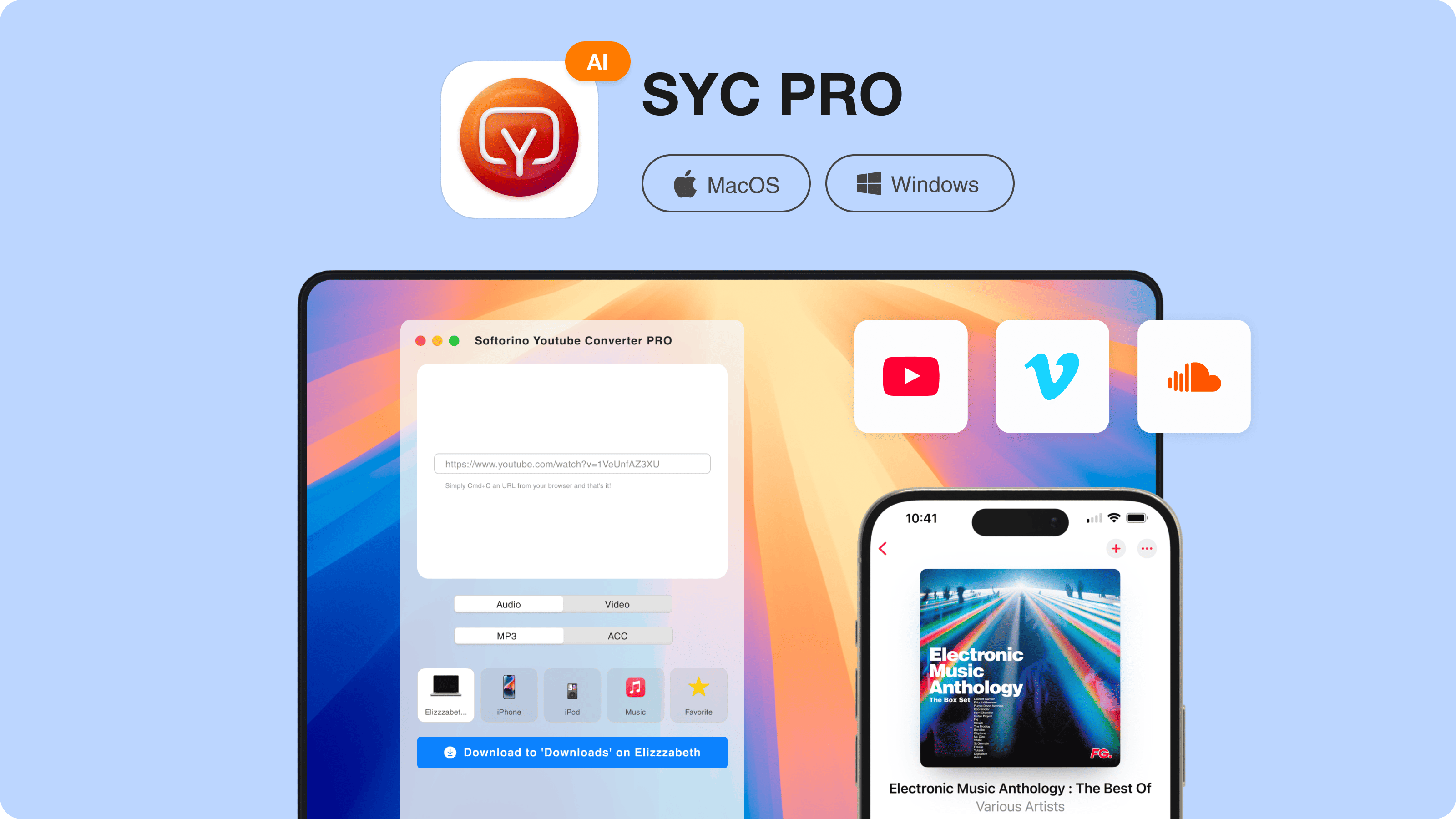
Download Softorino YouTube Converter PRO and install it on your Mac or Windows PC. Open the app after installation.
The trial lets you test the workflow before paying. On Windows, you can download without the same trial cap. On macOS, the trial lets you download up to 3 videos or audio files.
If you want the MP3 on your iPhone, connect your iPhone, iPad, or iPod with a USB cable. You can also use Wi-Fi transfer after pairing the device in the app.
Step 2. Copy the YouTube URL
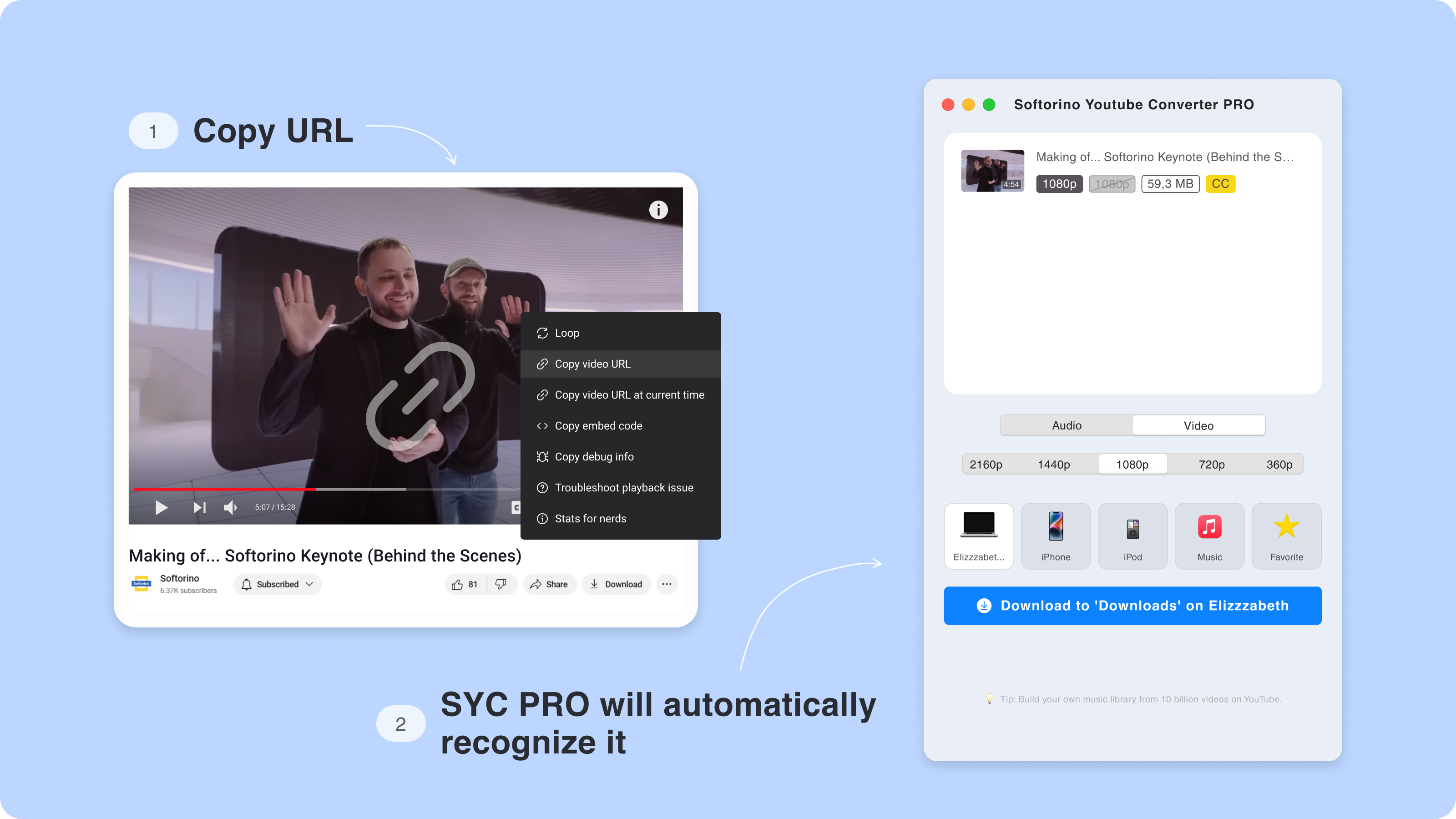
Open YouTube and find the video you want to save as audio. Copy the URL from the browser address bar or the Share button.
SYC PRO detects copied YouTube links and adds them to the queue. You do not need to paste the link into a converter site or sort through fake buttons.
Apart from YouTube, SYC PRO can download audio from SoundCloud and Vimeo when the source allows it. That helps when your playlists live in more than one place.
Step 3. Choose MP3 audio and destination
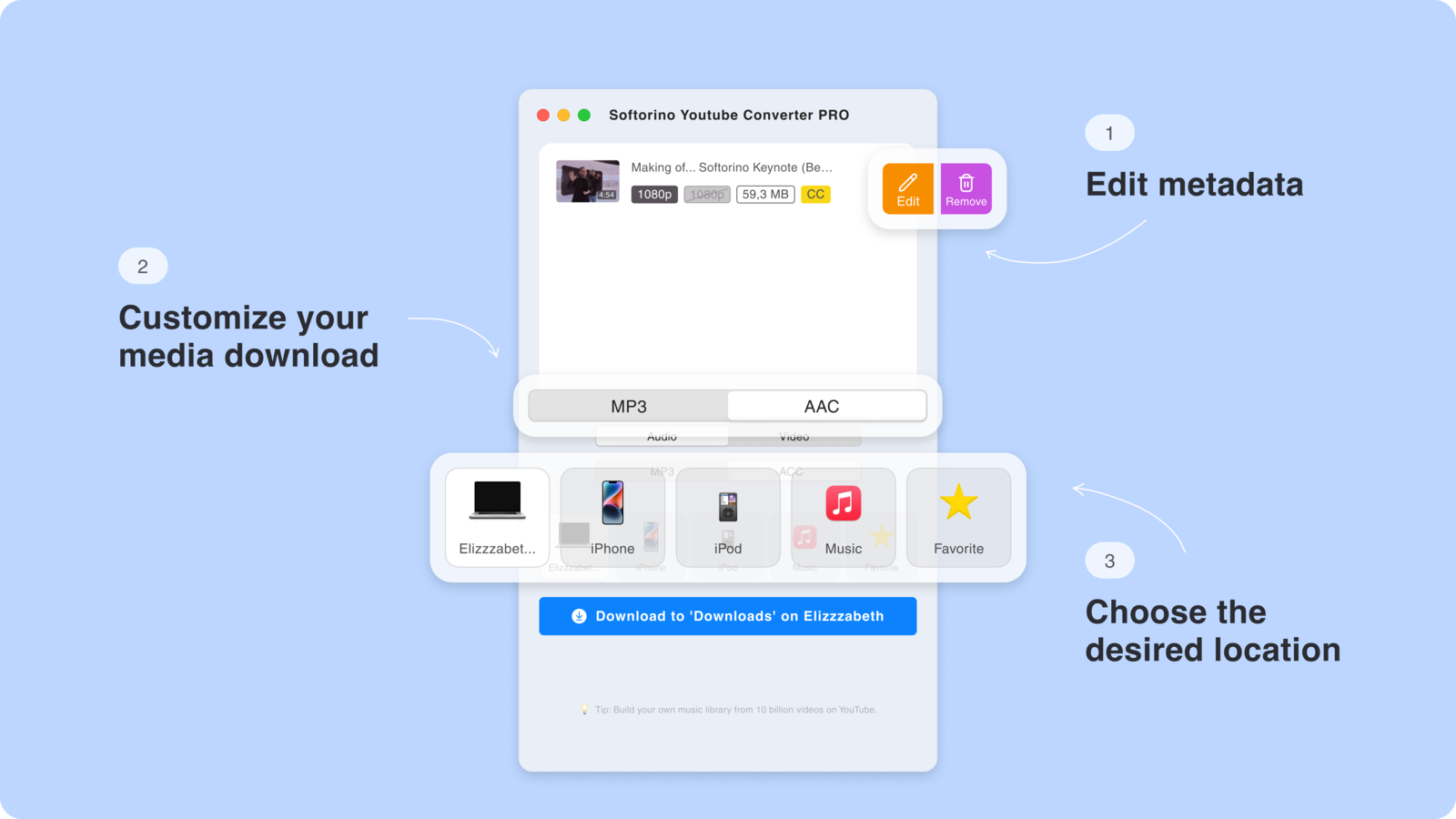
Select Audio as the format, then choose MP3. Pick where the file should go: your computer, iPhone, iPad, or iPod.
If you only need a local file, save it to your Mac or Windows PC. If you want to listen on your iPhone, choose the connected device and send it to the Music app.
Use MP3 when you want the widest compatibility. Use AAC when you care about Apple's ecosystem and the source supports it. The best choice depends on where you plan to play the file.
Step 4. Edit the metadata
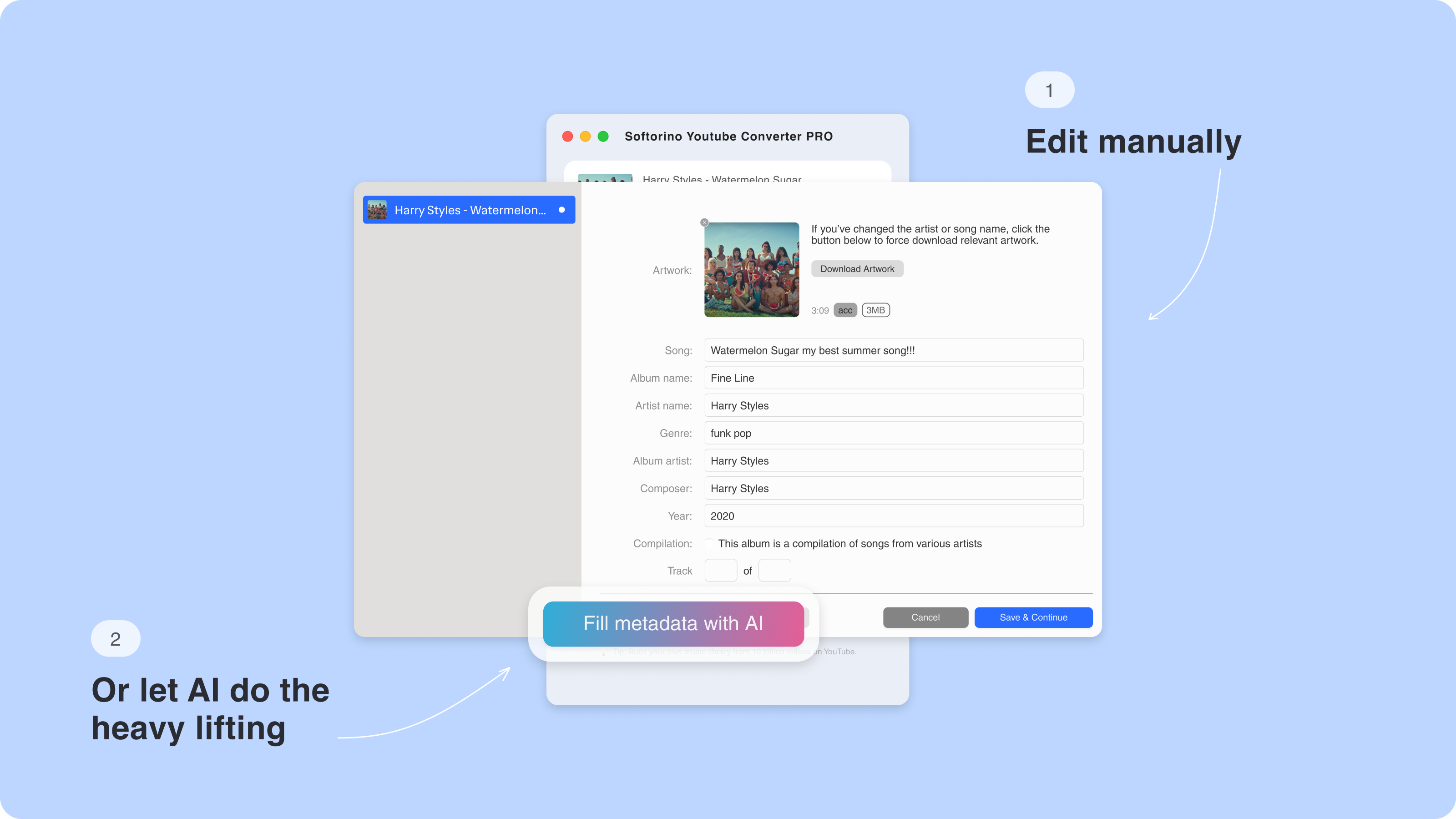
Bad metadata makes a music library ugly fast. One file says Track 01. Another has no artist. Another shows a thumbnail from nowhere.
SYC PRO lets you edit the song title, artist, album, and artwork before saving. You can fill the fields yourself or let the app suggest metadata, then fix anything that looks off.
This step is optional, but it is worth doing if the file is going into Apple Music. Clean metadata means you can find the track later without guessing what "videoplayback-final-final.mp3" was supposed to be.
Step 5. Convert and save the MP3
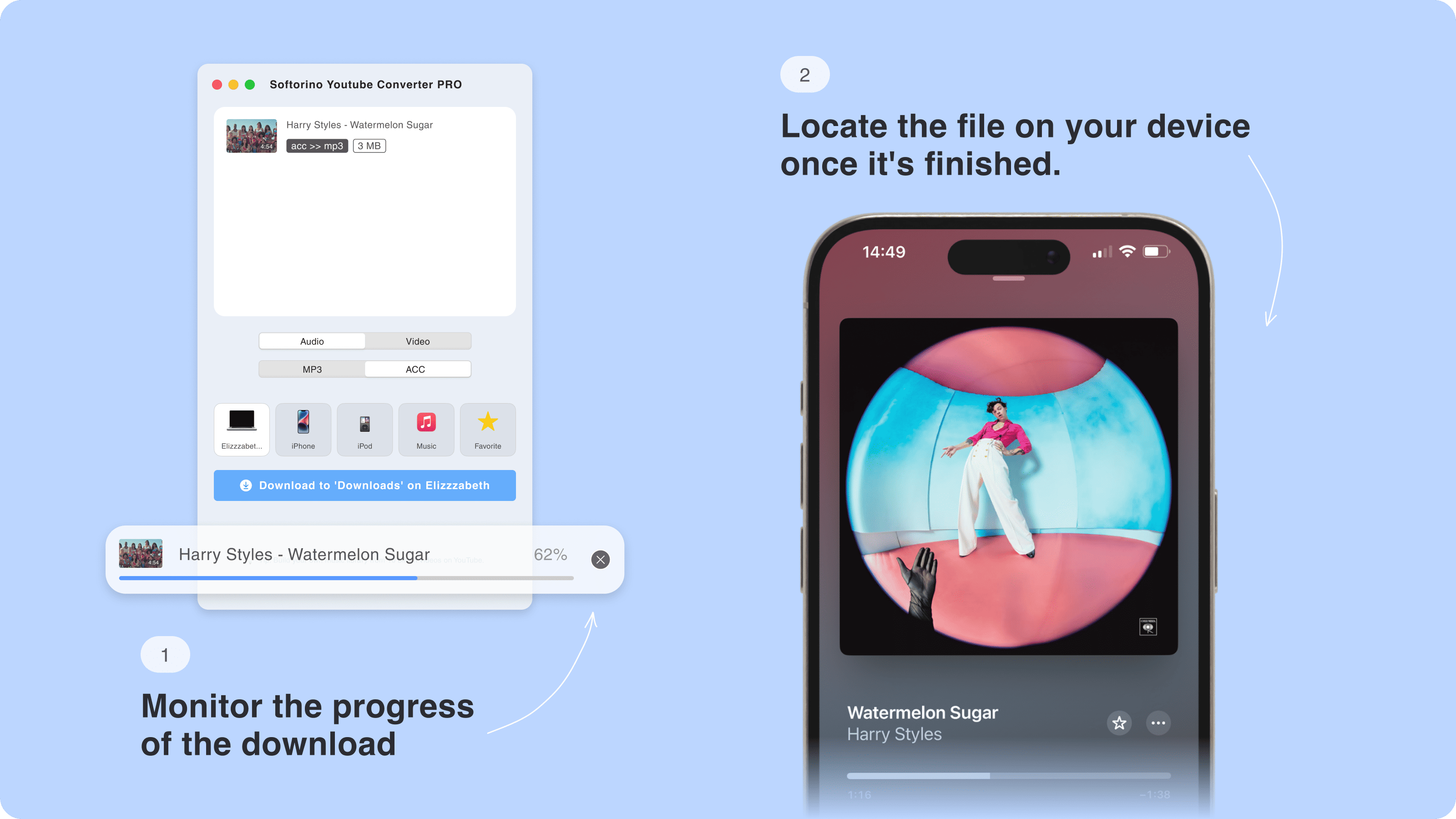
Click Download. SYC PRO converts the video and saves the MP3 to the destination you picked.
If you chose an Apple device, keep it connected until the transfer finishes. The app shows progress while it works.
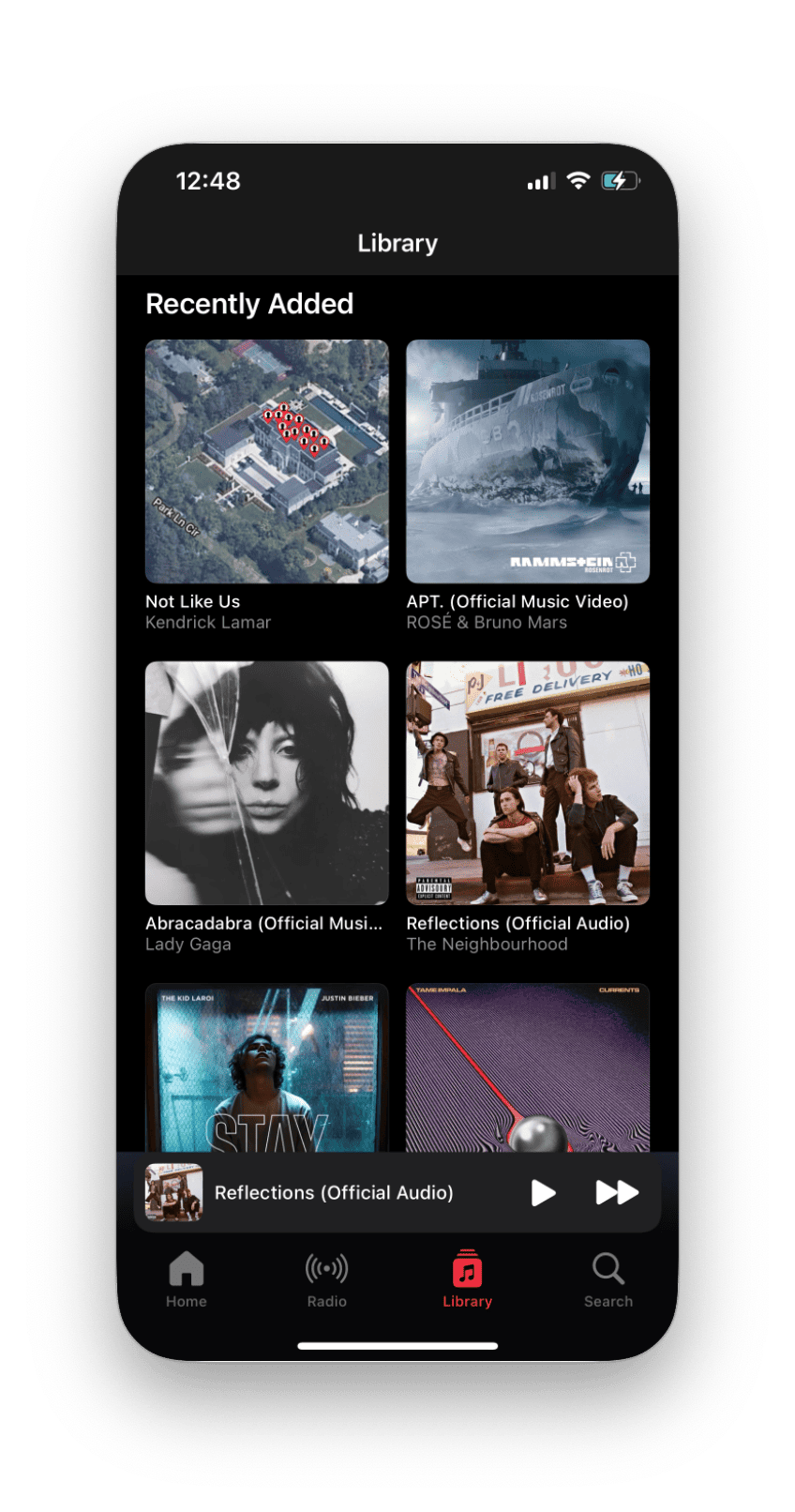
Once the download finishes, open Apple Music on your iPhone or iPad and check the file. If you saved the MP3 to your computer, open the folder you selected and rename the file if needed.
YouTube to MP3 on iPhone: why direct transfer matters
Most downloader tools stop after the file lands on your computer. That is where the real annoyance starts.
To move a downloaded MP3 to an iPhone manually, you usually need Finder, iTunes, Apple Music sync, cloud storage, or another transfer app. One wrong sync setting can make the process feel like a hostage negotiation with your own phone.
SYC PRO skips that mess. It can send the MP3 directly to your iPhone, iPad, or iPod and place it where you can listen to it.
This helps when you save:
If you also move local files to iPhone, WALTR PRO handles broader iPhone file transfer without iTunes. Use SYC PRO for YouTube and supported media downloads. Use WALTR PRO when you already have MP3, FLAC, MKV, PDF, ringtone, or video files on your computer.
- Long lectures for a flight.
- Workout mixes for offline listening.
- Language lessons from YouTube.
- SoundCloud tracks allowed for download.
- Your own uploaded videos that you want as audio.
Audio quality: what to expect
Audio quality depends on the source video. If the YouTube upload has poor audio, the MP3 will not fix it. Conversion changes the format. It does not repair bad recording, background noise, or low source bitrate.
Use this simple guide:
Setting | Best for | Notes |
|---|---|---|
MP3 standard quality | Spoken audio, lectures, casual listening | Smaller files and broad compatibility |
MP3 higher quality | Music and repeat listening | Bigger files, better when source audio is strong |
AAC | Apple devices and Music app use | Good fit for iPhone and iPad |
MP4 | When you want the video too | Use this instead of MP3 for tutorials and visuals |
If you want a clean music library, do 2 things: start with the best source you can find, then fix the metadata before saving. The file will look better in Apple Music and be easier to search later.
Also avoid tools that promise "lossless audio from YouTube." MP3 is a lossy format, and YouTube audio is already compressed. Honest quality settings beat magic claims.
Key features of SYC PRO YouTube to MP3 downloader
SYC PRO is built for people who want offline media without fighting iTunes or sketchy converter sites.
That is the reason SYC PRO works better than a plain converter for iPhone users. The converter part is only step 1. The better workflow is conversion plus clean transfer.
Downloads from YouTube, SoundCloud, and Vimeo: Save audio or video from supported sources when you have the right to download it.
Direct transfer to Apple devices: Send files to iPhone, iPad, or iPod without manual sync.
Native app destinations: Put music in Apple Music and videos in the TV app when supported.
MP3 and AAC audio options: Choose the format that fits your device and library.
MP4 video options: Save video too when audio is not enough.
Playlist support: Queue more than one item instead of repeating the same steps all afternoon.
Metadata editing: Fix song titles, artists, albums, and artwork before the file hits your library.
Safe converter checklist
If you compare options, use this checklist before trusting any tool:
SYC PRO checks those boxes because it runs as a desktop app and focuses on the full workflow. You still need to follow copyright rules and YouTube's terms, but you do not need to gamble on a random converter site.
- Does it avoid popups and redirect chains?
- Does it work on Mac or Windows without a browser extension?
- Does it let you choose MP3 quality or format?
- Does it explain what happens to your file?
- Does it support direct iPhone or iPad transfer?
- Does it let you edit metadata?
- Does it avoid impossible quality claims?
FAQ
What is the safest way to convert a video to audio?
The safest way is to use a trusted desktop app, avoid browser popups, and download only content you own, have permission to use, or are allowed to save. SYC PRO gives you a Mac and Windows app workflow, so you do not have to use ad-heavy converter pages.
Is converting YouTube videos legal?
It depends on the video, your rights, and how you use the file. Download your own videos, public-domain content, or content you have permission to save. Do not use converter tools to copy copyrighted material without permission. YouTube's terms also apply.
Can I save YouTube audio on iPhone?
Yes, but the cleanest workflow is to convert on Mac or Windows with SYC PRO, then transfer the MP3 directly to your iPhone. SYC PRO can send audio to iPhone, iPad, or iPod without iTunes.
Does SYC PRO work on Mac and Windows?
Yes. SYC PRO works on Mac and Windows. Install the app, copy the YouTube URL, choose MP3, and save the file to your computer or Apple device.
What audio quality can I get?
The final MP3 quality depends on the original YouTube audio. A higher setting can preserve more of the source, but it cannot create quality that was not in the upload. Pick higher quality for music and smaller files for lectures or voice recordings.
Can I download YouTube playlists as MP3?
SYC PRO can queue multiple items and supports playlist workflows. This helps when you want several songs, lectures, or lessons saved for offline use instead of converting one link at a time.
Does SYC PRO add song titles and album art?
Yes. SYC PRO lets you edit metadata such as title, artist, album, and artwork before saving. Clean metadata helps the file look right in Apple Music and makes it easier to find later.
What is better: MP3 or AAC?
Use MP3 when you want broad compatibility across phones, cars, players, and computers. Use AAC when you mostly listen on Apple devices. Both depend on source quality, so start with the best YouTube source available.
The bottom line
If you only need one throwaway file, a free web converter might get it done. If you want a safer converter for Mac, Windows, and iPhone, use SYC PRO.
You get MP3 conversion, direct Apple device transfer, metadata editing, and fewer sketchy browser moments. Try Softorino YouTube Converter PRO and save your next YouTube audio file without dragging iTunes into it.
If you use more than one Softorino app, the Universal License gives you the full toolkit for about $3/month.

SYC PRO
Download Web Videos Like a PRO
