AnyTrans Review 2026: Is It Safe, Worth It, or Overkill?


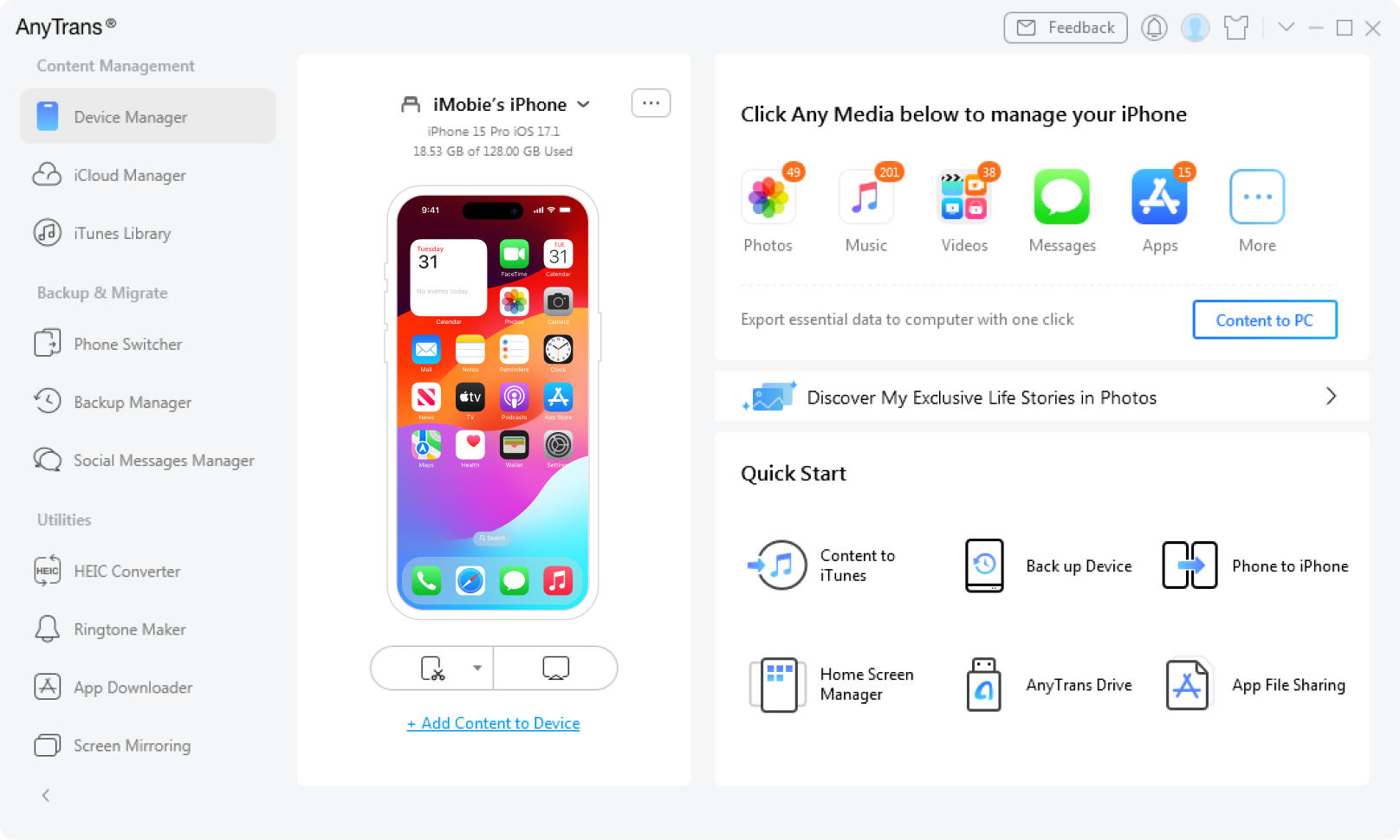
This AnyTrans review has a boring but useful answer: AnyTrans is a real iMobie iOS manager, and it can be worth using for full iPhone backups, device migration, WhatsApp transfer, iCloud or iTunes content, and broad data management. It is overkill if you only want to put music, videos, PDFs, or ringtones on an iPhone.
For that simpler job, WALTR PRO lets you transfer files to iPhone without iTunes. You connect the iPhone, drag in the file, and skip the full phone-manager maze.
Quick verdict: AnyTrans review in 2026
AnyTrans is not a scam by default. Downloaded from iMobie, it is a legitimate iPhone manager. The safer question is whether you need a broad manager with access to backups, messages, iCloud data, and migration flows -- or a narrower transfer app with fewer permissions and fewer decisions.
Question | Short answer | What to do |
|---|---|---|
Is AnyTrans safe? | Generally safe from official sources, but it handles sensitive iPhone data. | Download from iMobie, avoid mirror sites, and back up before migration or restore tasks. |
Is AnyTrans worth it? | Yes if you use the full suite. No if you only need simple file transfer. | Match the tool to the job before paying for a full phone manager. |
Best use case | Backups, migration, WhatsApp data, iCloud/iTunes content, and broad iOS management. | Use AnyTrans when you need multiple device-management features in one app. |
When to skip it | Basic music, video, PDF, and ringtone transfer. | Use WALTR PRO for drag-and-drop transfer to iPhone or iPad. |
Windows export needs | A broader export tool may fit better than WALTR PRO. | Use AltTunes as an iPhone file manager for Windows if you need exports and backups. |
That is the honest split. AnyTrans tries to cover the whole iPhone. WALTR PRO focuses on one daily pain: getting files onto your iPhone or iPad without iTunes sync.
Before we begin
Download WALTR PRO on Mac or Windows when the main job is moving local music, video, books, or ringtones to an iPhone without iTunes. Compare that focused transfer workflow with AnyTrans’s broader device-management tools before choosing.
What AnyTrans actually does
AnyTrans is an iOS manager from iMobie. Its official positioning covers iPhone, iPad, iPod, iTunes, and iCloud content. The feature set includes photos and videos, music transfer, messages and attachments, app management, personal info, WhatsApp chats, phone migration, backups, and backup extraction.
That breadth is the whole point. AnyTrans is built for people who want one dashboard for many iPhone jobs. It can help if you are moving to a new phone, pulling content from an old backup, managing WhatsApp data, or working with iCloud and iTunes libraries.
The tradeoff is complexity. A tool that touches backups, cloud data, messages, and app data needs more permissions and more Apple trust prompts than a narrow transfer app. That does not make AnyTrans bad. It makes AnyTrans heavier than many users need.
Is AnyTrans safe to use?
AnyTrans is generally safe to use when you download it from iMobie and understand what access you are giving it. It is not the same risk profile as a random browser converter or a fake download mirror. Still, it is an app that can work with private iPhone data, so you should treat it like a serious utility, not a toy.
- Download source: Use the official iMobie site or a trusted app-store listing. Avoid repackaged installers.
- Permissions: Read Apple trust prompts before granting access to backups, iCloud, messages, or WhatsApp data.
- Migration risk: Back up your iPhone before any migration, restore, or erase-adjacent workflow.
- Scope: Do not grant broad access if your only goal is to move an MP4, FLAC, PDF, or ringtone onto an iPhone.
User reviews around tools like AnyTrans often mix 2 different complaints: safety fears and workflow frustration. A failed transfer, connection issue, or confusing prompt does not prove malware. It does mean the tool may be more hassle than your task deserves.
Fair verdict: AnyTrans can be safe and still be the wrong choice for a simple transfer. Those are different questions.
When AnyTrans is worth using
AnyTrans makes the most sense when you plan to use several iPhone-management features, not one quick file drop. If your work involves backups, migration, cloud content, or data extraction, the heavier interface has a reason to exist.
- Moving to a new iPhone: AnyTrans can fit device-to-device migration and broad content transfer workflows.
- Working with backups: AnyTrans is better suited than WALTR PRO for backup browsing, restore, and extraction-style jobs.
- Handling WhatsApp or messages: Use a broad manager when chat data is the actual task.
- Managing iCloud or iTunes content: AnyTrans is built around more of Apple's ecosystem than a transfer-only app.
- Managing many content types: Photos, videos, music, personal info, and app data all live under the same broad tool.
If you will use those features, AnyTrans may justify the learning curve. If you bought it only because iTunes made one music transfer annoying, you probably paid for too much app.
When AnyTrans is overkill
AnyTrans is overkill when the task is simple: put this file on my iPhone. A broad phone manager adds menus, permissions, and feature clutter to a job that should take one drag and drop.
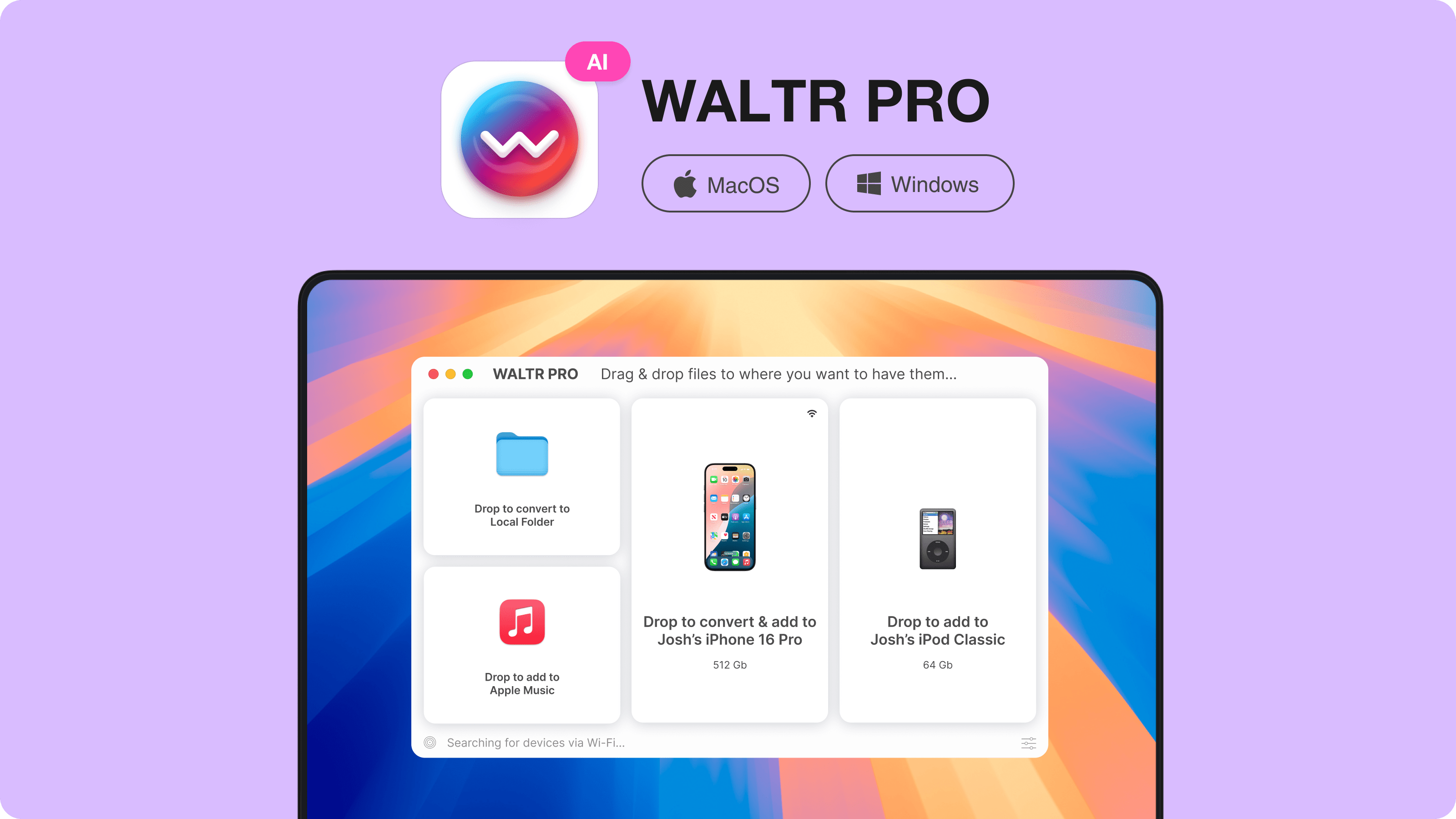
This is where WALTR PRO fits. It runs on Mac and Windows, connects by USB or Wi-Fi, and sends media or documents to the right Apple app destination. MP3 and FLAC go where music belongs. MKV, AVI, and MP4 go where video belongs. PDFs go where you can open them. Ringtones can go to the iPhone without iTunes.
That narrower scope is a strength. WALTR PRO does not try to manage WhatsApp, browse iCloud, or restore backups. It solves the everyday transfer job without turning your iPhone into a project.
AnyTrans vs WALTR PRO vs AltTunes vs iMazing
The best AnyTrans alternative depends on the job. Do not pick by feature count. Pick by the task you need to finish today.
Task | Best fit | Why |
|---|---|---|
Add music, video, PDFs, or ringtones to iPhone | WALTR PRO | Drag-and-drop transfer without iTunes, with support for MP3, FLAC, AAC, MKV, AVI, MP4, PDFs, and ringtones. |
Full iPhone migration | AnyTrans or iMazing | Broad managers are better for moving large sets of device data. |
Backup browsing or extraction | AnyTrans or iMazing | WALTR PRO is not a backup manager. |
Export iPhone data on Windows | AltTunes | AltTunes fits Windows users who need photos, music, messages, contacts, videos, files, or backups exported to PC. |
Power-user device management | iMazing | iMazing leans deeper and more technical, which can be useful for IT or advanced users. |
Simple iTunes replacement for files | WALTR PRO | Fewer menus and no iTunes sync. |
For the common searcher reading an AnyTrans review, that table matters more than a long feature list. If you need a full iPhone manager, AnyTrans belongs on the shortlist. If you need a clean iPhone transfer path, WALTR PRO is the shorter route.
How WALTR PRO handles everyday iPhone transfers
WALTR PRO handles the job AnyTrans users often wanted in the first place: move a file to an iPhone without opening iTunes. You do not need to sync a library, rebuild a media folder, or hunt through device-management tabs.
- Open WALTR PRO on Mac or Windows.
- Connect your iPhone or iPad by USB or Wi-Fi.
- Drag in the file -- MP4, MKV, FLAC, MP3, PDF, ringtone, or another supported format.
- Let WALTR PRO send it to the right Apple app destination without iTunes.
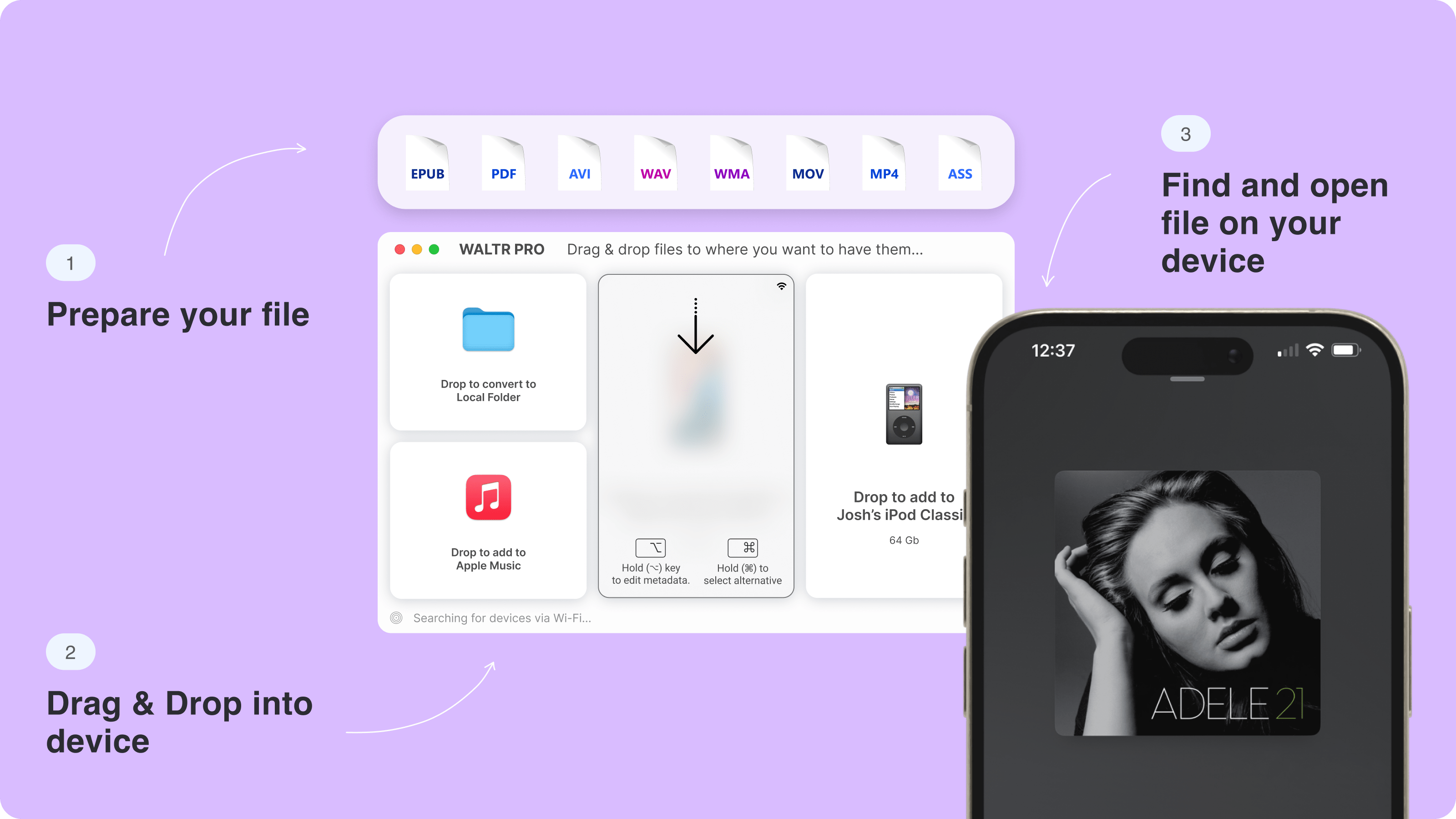
That workflow is not a full AnyTrans replacement, and it should not pretend to be. It is a better answer for a narrower problem: iPhone transfer without iTunes.
AnyTrans pricing: think in jobs, not plan tables
AnyTrans pricing changes over time, so the safer way to judge value is by use case. Check iMobie's current pricing page before you buy or renew. Then ask one question: will you use the full AnyTrans feature set, or are you paying for features you will never open?
If you need backups, migration, WhatsApp transfer, iCloud content, and broad device management, a full manager may be worth paying for. If you only need music, videos, documents, and ringtones on your iPhone, a simpler transfer app is usually the cleaner buy.
Softorino also offers the Softorino Universal License if you use multiple Softorino apps. Do not treat that as an AnyTrans clone. Treat it as a bundle for specific utilities, including WALTR PRO for file transfer and AltTunes for broader Windows export tasks.
AnyTrans review verdict: who should use it?
Use AnyTrans if you want one broad iOS manager and you are comfortable giving a third-party app access to sensitive device workflows. It can be the right tool for migration, backups, WhatsApp, iCloud or iTunes content, app data, and bigger phone-management tasks.
Skip AnyTrans if your job is basic file transfer. For music, movies, PDFs, and ringtones, download WALTR PRO and try the drag-and-drop path. It is smaller, more direct, and built around the task iTunes still makes annoying.
If you are comparing more iPhone managers before choosing, read Softorino's iMazing safety and performance review and iExplorer safety check. Both help you separate security questions from workflow pain.

FAQ
Is AnyTrans a safe program to use?
AnyTrans is generally safe when downloaded from iMobie or another official source. The bigger safety concern is data access: AnyTrans can work with backups, iCloud content, messages, WhatsApp data, and migration workflows. Back up your iPhone and read prompts before granting access.
Is AnyTrans free to use?
AnyTrans usually offers some form of trial or limited free access, but the useful full feature set is paid. Check iMobie's current pricing and trial terms before relying on any old review, including older Softorino screenshots.
How much does AnyTrans cost?
AnyTrans pricing can change by plan, promotion, and license type. Use the official iMobie pricing page for the current number. For value, compare the price against your task: broad iPhone management may justify it, while simple file transfer usually does not.
Does AnyTrans erase data?
AnyTrans should not erase data by default for normal transfer tasks, but migration, restore, and device-management workflows can affect important data if used carelessly. Back up your iPhone before any migration or restore workflow and follow each prompt slowly.
What is the best AnyTrans alternative for iPhone transfers?
For simple iPhone file transfers, WALTR PRO is the best Softorino alternative. It is built for moving music, videos, PDFs, and ringtones to iPhone or iPad without iTunes. For broader Windows exports, AltTunes may fit better.

WALTR PRO
Convert & Push Any File into Any Apple Device
