Is iExplorer Safe in 2026? Honest Risks and Better Alternatives

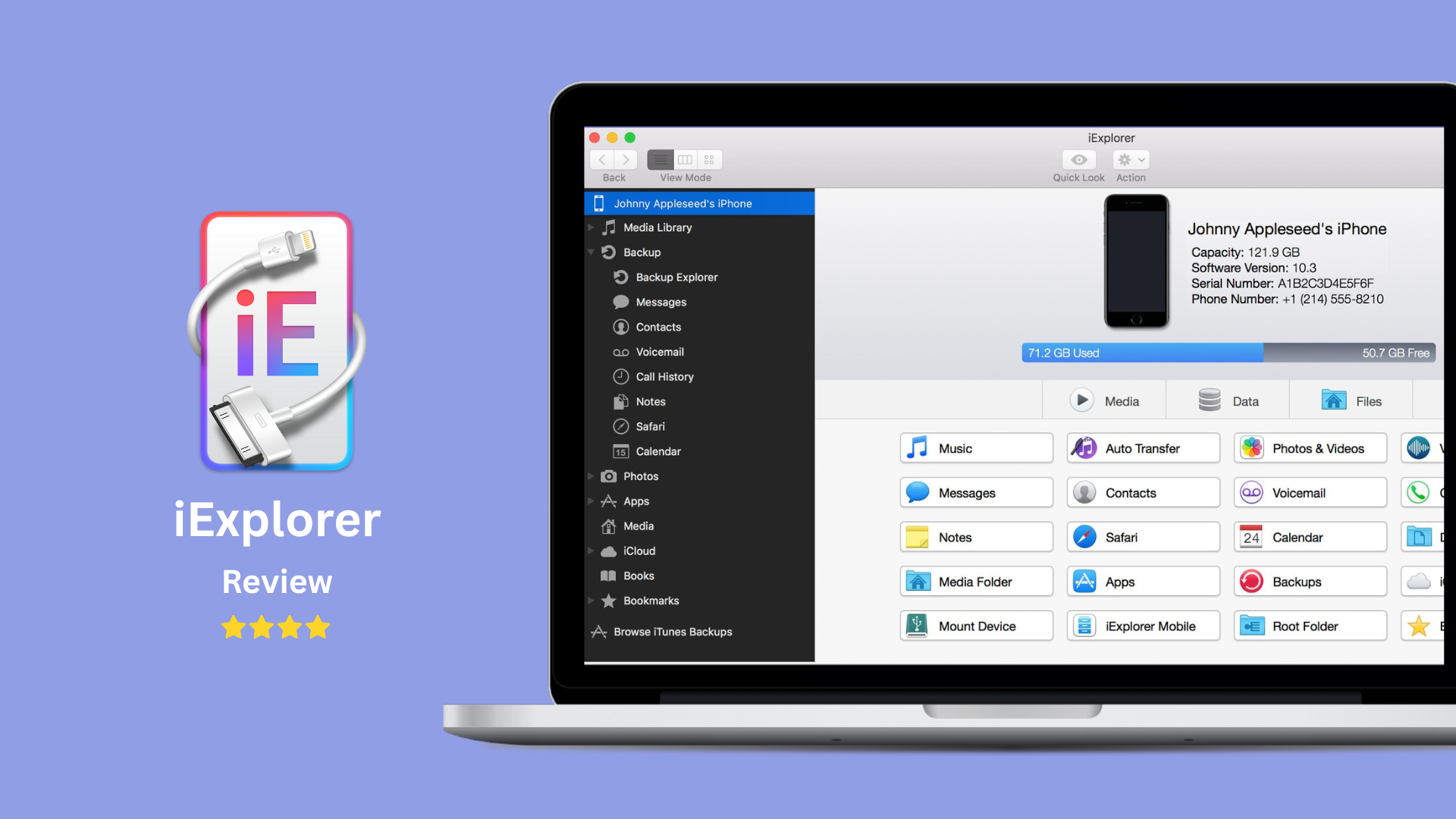
Is iExplorer safe in 2026? Yes, if you download Macroplant iExplorer from the official Macroplant site. It is not known as malware. The real question is different: do you need a full iPhone extraction tool, or do you need a simpler way to move files to your iPhone?
For messages, voicemails, app data, and file-system browsing, iExplorer can still make sense. For everyday music, video, PDF, and ringtone transfers, WALTR PRO lets you transfer files to iPhone without iTunes with fewer moving parts.

Quick verdict: is iExplorer safe in 2026?
iExplorer is generally safe to install from Macroplant's official website. That safety verdict does not mean every iPhone owner should use it. iExplorer is built for deeper device access, so it asks you to trust a third-party app with a lot of personal iPhone data.
Question | Short answer | What to do |
|---|---|---|
Is iExplorer malware? | No known malware when downloaded from Macroplant. | Use the official Macroplant download page, not mirrors. |
Is iExplorer safe for iPhone data? | It can access sensitive data, so use it carefully. | Back up your iPhone before extracting messages, files, or voice memos. |
Is iExplorer easy for basic transfers? | Often overkill. | Use a simpler transfer app if you only want music, videos, PDFs, or ringtones. |
Best Softorino alternative? | WALTR PRO for adding files to iPhone. | Use WALTR PRO for media and document transfer without iTunes. |
Windows export alternative? | AltTunes for broader iPhone export on Windows. | Use AltTunes as an iPhone file manager for Windows when you need exports and backups. |
iExplorer deserves a fair answer. It is not a scam app by default. It is also not the cleanest tool for every job. The safest choice depends on what you want to move and how much access the app needs.
Before we begin
Download WALTR PRO on Mac or Windows when the main job is transferring local media to an iPhone, iPad, or iPod without iTunes. Choose iExplorer only if you need its broader device-browsing workflow instead.
What iExplorer actually does
iExplorer is iPhone transfer software from Macroplant. The official Macroplant iExplorer page positions it around music transfer, text message export, photo and file access, disk mode, voicemails, contacts, and notes.
That is a lot. It means iExplorer can help when you need to pull data out of an iPhone, not just put a movie or song onto one. It also means the app works closer to your device data than a basic drag-and-drop transfer tool.
Use iExplorer when the task needs extraction:
- Exporting SMS or iMessage conversations.
- Saving voicemails from an iPhone.
- Browsing app folders or device files.
- Copying photos, contacts, notes, or files from a device.
- Moving music from an iPhone back to a Mac or PC.
Do not use iExplorer just because you want to add an MP3, FLAC, MKV, MP4, PDF, or ringtone to your iPhone. That is like renting a moving truck to carry a sandwich.
Is iExplorer trustworthy with your iPhone data?
iExplorer can be trustworthy when you download it from Macroplant and use it for the right job. The risk is less about viruses and more about access, backups, and interruptions.
Any app that reads messages, voicemails, contacts, and file folders needs broad access. That does not make it dangerous by itself. It means you should treat the workflow like data recovery or backup work, not like dropping a song into Music.
Before using iExplorer with important data:
- Download it from Macroplant, not a random software portal.
- Make a fresh iPhone backup first. Apple has official guidance on how to back up iPhone.
- Avoid unplugging the device during transfer.
- Export the most important data in smaller batches.
- Keep the original data on the iPhone until you confirm the copied files open correctly.
The old version of this article leaned too hard into crash and corruption claims. That was not useful. A failed transfer can leave you with incomplete copies. That is reason enough to back up first, without inventing horror stories.
When iExplorer is still worth using
iExplorer is still worth using when you need features WALTR PRO does not try to offer. That honesty matters. WALTR PRO is not a message exporter, voicemail extractor, backup browser, or iOS file-system tool.
Keep iExplorer on your shortlist if you need:
- Message export from iPhone to Mac or Windows.
- Voicemail, contacts, or notes extraction.
- Disk mode or deeper file browsing.
- Access to app data folders.
- Recovery-style workflows where you need to pull data off the device.
For those jobs, compare iExplorer with full iPhone manager tools like iMazing or AnyTrans. If you are researching that angle, our iMazing safety and performance review and AnyTrans vs WALTR PRO comparison can help frame the trade-offs.
When iExplorer is overkill
iExplorer is overkill when your goal is simple iPhone file transfer. If you want to put a video, album, ringtone, or PDF onto your iPhone, you do not need disk mode or message export.
That is the WALTR PRO use case. You open the app, connect your iPhone or iPad by cable or Wi-Fi, drag in the file, and let WALTR PRO send it to the right Apple app. No iTunes sync dance. No full-device manager.
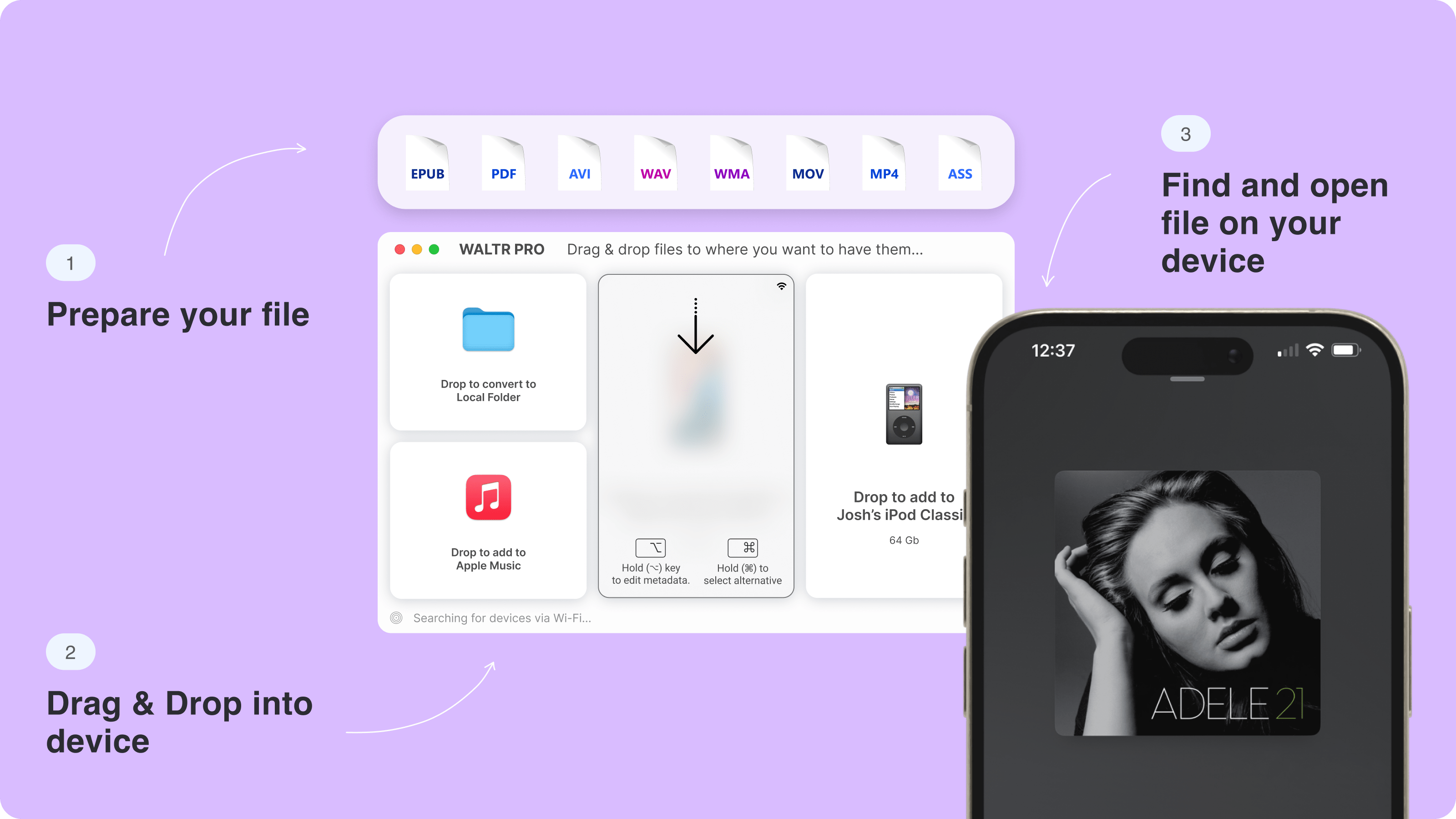
WALTR PRO is a better fit when you want to transfer:
- Music files like MP3, FLAC, and AAC.
- Video files like MKV, AVI, and MP4.
- PDFs and documents.
- Ringtones.
- Media files that would normally make iTunes or Finder annoying.
The narrower focus is the point. WALTR PRO does not try to expose your whole iPhone. It handles the everyday transfer problem and gets out of the way.
iExplorer vs WALTR PRO vs AltTunes vs iMazing vs AnyTrans
The best iExplorer alternative depends on the task. Do not pick by feature count. Pick by the job you need done today.
Tool | Best for | Not ideal for |
|---|---|---|
iExplorer | Messages, voicemails, app data, disk mode, deeper extraction. | Simple media transfer if you do not need extra device access. |
WALTR PRO | Adding music, videos, PDFs, and ringtones to iPhone or iPad without iTunes. | Exporting SMS, voicemails, backups, or app folders. |
AltTunes | Windows users who need broader iPhone export, backups, photos, music, messages, contacts, videos, and files. | Mac users or simple drag-and-drop media transfer to native iPhone apps. |
iMazing | Full iPhone management, backups, exports, and advanced device control. | People who want the simplest path to add files to iPhone. |
AnyTrans | Broad iOS content management and transfer workflows. | Users who want a focused, lightweight media transfer workflow. |
For Softorino users, the split is simple. Use WALTR PRO when you need to add files to an iPhone. Use AltTunes when you are on Windows and need to export more kinds of iPhone data to your PC.
How WALTR PRO handles everyday iPhone transfers
WALTR PRO handles the transfer job iTunes should have made simple years ago. It is built for people who already have the file and want it on the iPhone without babysitting a sync screen.
- Open WALTR PRO on Mac or Windows.
- Connect your iPhone or iPad by USB or Wi-Fi.
- Drag in an MP4, MKV, FLAC, MP3, PDF, or ringtone.
- Let WALTR PRO transfer the file into the right Apple destination.
That workflow matters because most people searching for an iExplorer alternative do not want a forensic toolkit. They want their media on the device. If that is you, start with WALTR PRO and skip the full iPhone-manager maze.
How to use iExplorer more safely if you keep it
If iExplorer is the right tool for your task, use it like a data tool. Slow down. Back up first. Avoid random installers.

Use this safety checklist before moving important iPhone data:
- Confirm you downloaded Macroplant iExplorer from the official site.
- Avoid files named
iexplorer.exefrom unknown sources. Windows search results can mix Macroplant iExplorer with unrelated process pages. - Back up the iPhone before extracting messages, voicemails, contacts, or app data.
- Keep the iPhone plugged in during long exports.
- Export in smaller batches if the app feels unstable.
- Open the exported files before deleting anything from the phone.
- Do not treat an app review or forum post as security proof.
This is boring advice. It is also the advice that saves you when a transfer freezes halfway through.
Does iExplorer still exist?
iExplorer still exists as a Macroplant product. The safer question is whether it still fits your 2026 workflow.
If you need device extraction, iExplorer remains relevant. If you need iPhone media transfer without iTunes, a narrower tool is usually easier. Apple also has official Finder and iTunes paths for syncing and backups, but those paths are still more steps than most people want for one file.
Which iExplorer alternative should you choose?
Choose the iExplorer alternative by matching the task, not by chasing the longest feature list.
- Choose WALTR PRO if you want to add music, videos, PDFs, or ringtones to iPhone without iTunes.
- Choose AltTunes if you use Windows and need to export iPhone photos, music, messages, contacts, files, videos, or backups.
- Choose iMazing or AnyTrans if you need a full iPhone manager and accept more complexity.
- Keep iExplorer if you specifically need message export, voicemail extraction, app data, or disk mode.
If you want several Softorino tools under one subscription, the Softorino Universal License can make sense. If you only came here to move media and documents to your iPhone, start with WALTR PRO first.
Final verdict
iExplorer is safe to install when you get it from Macroplant's official site. It is not automatically the safest workflow for every iPhone data task, and it is not the simplest tool for everyday transfers.
Use iExplorer when you need deep extraction. Use WALTR PRO when you want a cleaner way to put media, documents, and ringtones on an iPhone without iTunes. That is the honest split.
Try WALTR PRO free if your real job is adding files to your iPhone, not digging through the whole device.
FAQs
Is iExplorer safe to download?
Yes, iExplorer is generally safe to download from Macroplant's official website. Avoid third-party mirrors, bundled installers, and random files named iexplorer.exe from unknown sources.
Is iExplorer trustworthy?
iExplorer can be trustworthy for extraction tasks, but it asks for broad access to iPhone data. Back up your device first and use it only when you need features like message export, voicemail extraction, app data, or disk mode.
Does iExplorer require iTunes?
iExplorer and many iPhone manager tools depend on Apple device components or drivers for parts of the connection workflow. If your goal is media transfer without opening iTunes, WALTR PRO is the cleaner Softorino option.
Is iExplorer better than iMazing?
iExplorer and iMazing both target advanced iPhone management. iMazing is usually the broader full-manager option, while iExplorer focuses on browsing and extracting iPhone content. Pick based on the exact export task.
Can iExplorer transfer files to iPhone?
iExplorer can work with iPhone files, but it is not the simplest choice for adding media or documents to your device. WALTR PRO is better when you want to drag MP3, FLAC, MKV, MP4, PDF, or ringtone files onto an iPhone without iTunes.
What is the safest iExplorer alternative for simple transfers?
For simple media and document transfers, WALTR PRO is the safest Softorino recommendation because it solves a narrower job. It does not need to act like a full iPhone extraction tool when you only want to add files to your device.

WALTR PRO
Convert & Push Any File into Any Apple Device
