Best Infuse Alternatives for an Apple TV Movie Library

Infuse alternatives for Apple TV: quick shortlist
Quick answer: If your movies live on an SMB or NFS share and you want to replace only Infuse, start with VLC. It opens network files without setting up another media server. If you already run Jellyfin, Swiftfin is its Apple TV client, provided your TV meets its current tvOS requirement. With a Plex server, use Plex's own TV app for its library and watched indicators. Emby for TV makes sense for an existing Emby server. The right answer depends on where your files already live.
Tool | Best for |
|---|---|
VLC | Playing files from an existing SMB or NFS share without a new server |
Swiftfin | Browsing an existing Jellyfin video library |
Plex | Watching an existing Plex server library on Apple TV |
Before we begin
If you have one video on your Mac and do not need a TV library, download Beamer to send that selected file from macOS to Apple TV or Chromecast. Beamer is a Mac sender, not an Infuse replacement for browsing a persistent Apple TV library. For the library decision, use the comparison below.
Why listen to us?
Softorino has built media-transfer tools for more than a decade and makes Beamer for sending Mac videos to TV. MacRumors covered the original WALTR in 2014; that history informs how we separate a file source, a player and a sender, but it does not endorse today's picks.
Josh Brown is Softorino's CEO and the byline here. Disclosure: We are Softorino, and we sell Beamer. This comparison reviews official documentation and US storefronts, not hands-on playback tests.
Full comparison
Tool | Keep this source | tvOS minimum | Basic TV playback | Library and watch state | Main trade-off |
|---|---|---|---|---|---|
VLC | SMB, NFS, SFTP or FTP share; UPnP; documented Plex access | 13.0 | Free, open source | File browsing and playback history; server watch-state sync unverified | Not a verified Infuse-style rich library or sync replacement |
Swiftfin | Running Jellyfin Server | 26.1 | Free client | Displays Jellyfin collection; exact cross-client watch sync unverified | Does not open a raw SMB share directly |
Plex | Running Plex Media Server | 16.0 | Free local personal-video playback | Collections, watched indicators and Continue Watching | Requires a Plex server; paid remote rules need checking |
Emby for TV | Running Emby Server | 14.2 | Free app and full basic Apple TV playback | Artwork, grid and search; exact cross-client watch sync unverified | Server-specific; Premiere gates some server extras |
How we evaluated
We compared the US Apple TV listings and official vendor help pages on November 11, 2026. Each entry asks whether you can keep your existing source, whether the TV can install the app, what local playback costs, and what the vendor documents about libraries, subtitles and watch state.
We did not install the apps, run a codec test, buy a plan or verify checkout totals. Documentation does not promise that every file will play identically. The current App Store requirement takes precedence where an older vendor page disagrees.
Match the player to the source you already have
Infuse can connect directly to SMB and NFS shares or connect to Plex, Jellyfin and Emby servers. Replacing the TV app need not mean replacing the NAS, Mac or media server.
Do not mistake a client switch for a server migration: Swiftfin, Plex and Emby for TV need their matching servers. If you only have a shared folder, VLC is the straightforward shortlist pick.
Before changing apps, find out whether Infuse shows a share path or a named media-server connection. Check the Apple TV's tvOS version, then note one file that matters to you: its container, audio and subtitle format. Keep the original connection until the new app plays that file and shows the library behavior you want. This checklist is not a playback test of your setup.
VLC
Verdict: VLC is the closest free client swap for an existing network share. VideoLAN's Apple TV page documents SMB, NFS, SFTP and FTP access, UPnP discovery and Plex connectivity. A Plex connection here does not establish Plex library metadata or watched-progress parity. For a NAS full of folders, the file-first approach is a feature; for carefully organized posters and cross-device progress, it may be a compromise.
VLC key features
- Browse existing SMB or NFS network folders from the Apple TV without installing Jellyfin, Plex or Emby Server.
- Play MKV and select among audio and subtitle tracks. VideoLAN also documents audio/subtitle timing adjustment and playback-speed control on Apple TV.
- Access UPnP devices or documented Plex connectivity if those are your current sources. VideoLAN has announced playback history, but that is not evidence of server-side sync.
VLC pros
- Keep the share: You can try the player without copying files or moving a library into a new server.
- Fully free and open source, according to VideoLAN and the US VLC App Store listing.
- The current store minimum is tvOS 13.0, lower than the current Infuse listing's tvOS 18.5 minimum.
VLC cons
- The reviewed official pages do not establish Infuse-equivalent posters, collections or Plex watched-state synchronization. Unknown is not the same as absent.
- File access still depends on a reachable share and valid credentials. If the Mac sleeps or the NAS path changes, switching players will not fix the source.
- No verified file-by-file Dolby Vision or lossless audio parity with Infuse Pro; test your own important files before removing Infuse.
VLC pricing
VLC's Apple TV app is free. VideoLAN calls it free and open source; the US VLC listing shows no paid playback tier. The US App Store required tvOS 13.0 on November 11, 2026, despite an older minimum still shown on VideoLAN's page. Check your TV's installed version against the live store before planning the switch.
Who VLC is best for
Choose VLC if Infuse opens files from a shared Mac or NAS folder and you mainly want to play those files without paying for another client or running a server. Keep Infuse if its library layout, watched progress or Pro-only format support is the part you are trying to preserve. You can run both apps while you compare one authorized sample file.
Swiftfin
Verdict: Swiftfin is the natural Apple TV client for an existing Jellyfin server, not a direct SMB-share replacement. The Apple TV listing describes a video-library client that needs Jellyfin Server. Jellyfin's client catalog identifies Swiftfin as its companion app. If your Infuse connection already points to Jellyfin, you can change the client and leave that server in place.
Swiftfin key features
- Display and play the video collection served by your existing Jellyfin installation.
- Use a native Swift/VLC-based player, as Jellyfin describes in its client catalog.
- Connect to your own Jellyfin library rather than browse a generic Plex or Emby server. You keep control of the server and its media.
Swiftfin pros
- Same server, new TV app: A Jellyfin household need not move the library merely to change its Apple TV player.
- The US Apple TV listing shows the client as free; Jellyfin is the library source, not a bundled movie subscription.
- Its server-backed collection view is a better match for a managed library than a bare folder browser when Jellyfin is already installed.
Swiftfin cons
- You cannot point Swiftfin directly at a raw SMB folder. A NAS share only becomes part of this setup if an actual Jellyfin server has already been configured to index it.
- The current US store requires tvOS 26.1 or later. Jellyfin's older launch article mentions an earlier minimum, so use the current listing for install eligibility.
- Jellyfin's codec matrix labels Swiftfin on iOS, not tvOS. Its subtitle guidance allows server remuxing or burn-in for incompatible subtitles; it does not prove Apple TV codec or HDR parity. Exact cross-client watched-progress behavior was not established in our reviewed tvOS sources.
The Jellyfin codec matrix is useful for subtitle and transcoding context, but its Swiftfin column is iOS-specific. Jellyfin's client catalog labels Swiftfin an official beta; that label alone does not establish playback reliability.
Swiftfin pricing
Swiftfin is listed as free in the US App Store. We did not find a client subscription requirement in the reviewed official listing. Free client software does not remove the need to maintain the Jellyfin server and storage. Check the live store for regional availability and the installed tvOS version before you plan a switch.
Who Swiftfin is best for
Choose Swiftfin if you already use Jellyfin Server, want its collection on Apple TV, and can install a tvOS 26.1+ app. If you would have to build a Jellyfin server solely because you dislike Infuse's player, first ask whether VLC can open the share you already have. That avoids turning a client decision into a library migration.
Plex
Verdict: Plex's Apple TV app is the most directly documented managed-library route for a household that already runs Plex Media Server. The current US listing says personal-media streaming needs a running Plex Media Server 1.41.2 or later. This app does not directly open an SMB folder or replace a Jellyfin or Emby client without changing the server behind it.
Plex key features
- Show library sections, collections, watched indicators and Continue Watching on Apple TV, as described in Plex's Apple TV settings.
- Direct Play files when the app supports the source; otherwise server settings and quality choices can affect conversion. There is no universal direct-play promise.
- Manage subtitles with server-side burn-in controls. Image subtitles and complex ASS/SSA subtitles can trigger burn-in under the documented automatic behavior.
Plex pros
- Keep Plex Media Server: Existing Plex users can try the native client against their own library before considering a server move.
- Local personal-video playback from a Plex server is free, according to Plex's free-versus-paid guide.
- Documented watched indicators and Continue Watching make its library state easier to assess than an undocumented sync claim.
Plex cons
- A Plex server must be installed and running. If your only source is an SMB share in Infuse, switching to Plex means adding server software.
- Complex subtitles may rely on the server to burn them into the video, which can change server load and playback behavior. Check one representative file rather than assuming parity.
- Remote personal-video access has platform-specific paid requirements. The reviewed affected-platform list did not expressly name Apple TV, so do not assume either a current tvOS charge or a permanent exemption.
See Plex's Apple TV settings for its library and subtitle controls. Its free-versus-paid guide establishes free local playback. Check the separate remote-play requirements if you also watch away from home.
Plex pricing
The US listing offers a free app with optional purchases; local personal-video playback is free. Plex Pass adds optional features such as skip controls on Apple TV. The current store minimum is tvOS 16.0.
The official plans page did not load a verifiable checkout total in our review, so we are not quoting a current vendor price. Confirm optional plans and remote-viewing terms in your region and account before buying.
Who Plex is best for
Choose Plex if your Infuse connection already uses Plex Media Server and you care about collections, watched indicators and Continue Watching in the native app. If the server does not exist, Plex may be useful for broader library management, but that is a different project from swapping the TV client. Our Plex alternatives for Apple TV comparison covers that server-side decision.
Emby for TV
Verdict: Emby for TV is the native Apple TV route when your existing media server is Emby. Use the TV-specific app listing, not Emby's separate iPhone/iPad app when checking requirements or costs. Emby's Apple TV setup guide says the client discovers local Emby servers or lets you connect manually or through Emby Connect.
Emby for TV key features
- Browse the Emby server's movie and TV landing pages, artwork, grid, details and search, as shown on the Apple TV product page.
- Connect to an existing Emby Server on the local network or by the documented account/manual route.
- Use Emby's documented direct-play recipe for H.264/H.265 in MP4/M4V/MOV with listed audio and subtitle types. Other media may need server transcoding; the guide is not a guarantee for every file.
Emby for TV pros
- Keep Emby Server: If Infuse already connects to it, changing the TV client need not move your library.
- The TV app is listed free, and Emby's Premiere matrix marks full Apple TV playback as free.
- Its server-backed artwork and search help when you want a browsable collection rather than folders alone.
Emby for TV cons
- An Emby server must be running. The TV app does not browse a raw SMB folder or turn a Plex/Jellyfin server into Emby.
- Server-side extras such as hardware-accelerated transcoding, DVR and in-playback subtitle search sit in Premiere; ordinary subtitle playback and free basic TV playback are separate questions.
- The reviewed TV-specific documentation did not establish exact cross-device watched-state behavior. Check that workflow with your existing server rather than assuming it matches Infuse.
The Emby Apple TV product page shows its artwork and browsing interface. Use the Premiere feature matrix to separate free TV playback from paid server extras.
Emby for TV pricing
The US TV app is free, requires tvOS 14.2+, and the Premiere matrix says full basic Apple TV playback is free. Optional Emby Premiere was advertised on November 11, 2026 at USD $4.99 monthly, $54 yearly or $119 lifetime for one household; taxes and region may change checkout totals.
Those are server-feature prices, not an Apple TV playback unlock. Do not apply a mobile Emby app purchase to Emby for TV.
Who Emby for TV is best for
Choose Emby for TV if you already maintain Emby Server and want its native Apple TV library interface. If you have only a Mac folder shared over SMB, try VLC first. If you have Plex or Jellyfin, use the matching client unless you actually intend to migrate the server and its library.
How to choose
- If Infuse connects to SMB or NFS: Try VLC with the same reachable share. Check one film with your real subtitle and audio tracks. Do not install a server unless you want server-managed metadata or remote library features.
- If Infuse connects to Jellyfin: Try Swiftfin only after confirming tvOS 26.1 or later. Your Jellyfin server stays the source; check the title and subtitle behavior you need.
- If Infuse connects to Plex: Try the Plex Apple TV client. Look at Continue Watching and a representative subtitle-heavy file; check remote terms separately if you watch away from home.
- If Infuse connects to Emby: Try Emby for TV. Confirm the actual Apple TV app and its free playback entitlement before considering optional Premiere features.
- If you rely on Infuse Pro features: Keep Infuse until another client has met your own file and watch-state needs. A lower app price does not replace a working library.
When keeping Infuse is the better choice
Infuse already joins direct network shares and Plex, Jellyfin or Emby connections in one Apple TV player. Firecore places additional formats, lossless HD audio, Dolby Vision/Atmos support and cross-device iCloud library/progress syncing in Pro. We have not verified equivalent behavior across these four alternatives.
If those functions matter more than replacing the app, keeping Infuse is reasonable. Infuse's US listing requires tvOS 18.5; its optional Pro pricing and trial vary by storefront and date.
Keep the distinction clear: Syncing watch state with a connected media server is different from Infuse Pro's iCloud sync across your devices. VLC playback history does not prove server sync. Swiftfin and Emby for TV have no verified exact cross-client watch-state claim in the reviewed Apple TV sources. Test the actual library behavior you need before cancelling any subscription.
One Mac movie without a library
If your job is to put a selected Mac file on the TV, Beamer's Mac sender is adjacent to this comparison. It sends that selected video to Apple TV or Chromecast; it is not a fifth TV client or an Infuse library replacement.
The existing screenshot below shows Beamer's empty movie drop area and receiver control. It is historical product imagery, not a new test or evidence of the current interface version.
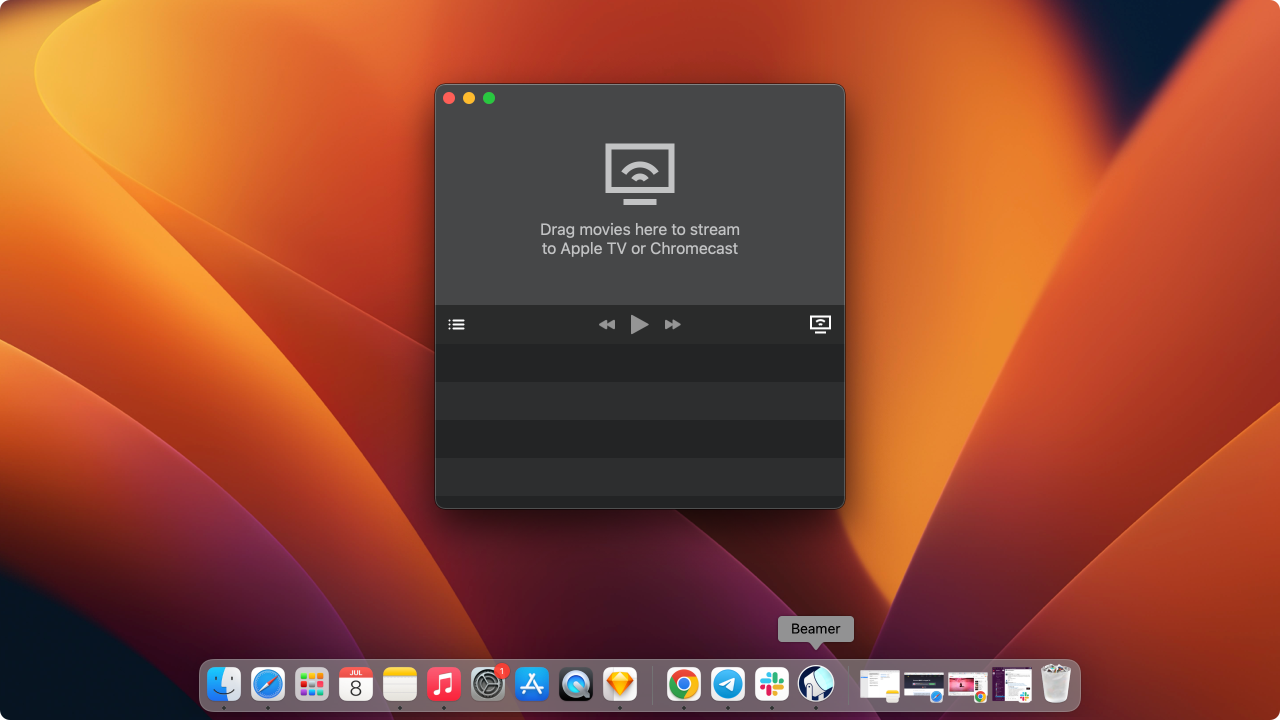
For that separate job, download Beamer for Mac. If you want browsing, collections and watched state from the couch, return to the four TV apps above instead. Our Mac-to-TV AirPlay alternatives guide deals with casting workflows rather than replacing an Infuse library client.
Quick Takeaways
Find the source Infuse uses before choosing another Apple TV app.
Keep an SMB/NFS share and try VLC for file-first playback.
Keep Jellyfin Server for Swiftfin, Plex Media Server for Plex, or Emby Server for Emby for TV.
Compare the live tvOS minimum with your Apple TV before installing.
Test an authorized sample video, subtitle and watched-state workflow before giving up Infuse.
Frequently asked questions
Can VLC replace Infuse without replacing my NAS?
VLC can open a reachable SMB or NFS share from Apple TV, so you can keep the NAS and try a different player. Its documented playback history does not establish Infuse-equivalent library artwork or server watched-progress synchronization. Check one file and its subtitle tracks before switching completely.
Do I need to pay for Plex to watch my own videos on Apple TV?
No. Plex documents free local personal-video playback from a running Plex Media Server, and its TV app is free to install. Optional Plex Pass features and platform-dependent remote-play terms are separate. Check your account and current plan terms before buying anything for access away from home.
Is Swiftfin a direct player for my Mac's shared folder?
No. Swiftfin connects to a running Jellyfin Server, not directly to an SMB share. If Infuse currently reads a Mac folder without a media server, VLC is the closer client-only switch. If Jellyfin already indexes that folder, Swiftfin can browse the server's video collection on a compatible Apple TV.
Is Emby for TV playback locked behind Emby Premiere?
No. Emby's current feature matrix marks full Apple TV playback as free. Premiere is an optional server license for features such as hardware transcoding and DVR. Check the TV-specific app rather than applying the separate mobile app's entitlement to your Apple TV setup.
Bottom line
The best Infuse alternative is the player that can use your existing source. Start with VLC for a plain share, Swiftfin for Jellyfin, Plex for Plex Media Server and Emby for TV for Emby Server. Keep Infuse if its Pro features or library behavior matter more than changing apps. Beamer handles the separate job of sending a selected Mac video to a TV.
Stream only media you own or are authorized to use. Changing apps does not remove DRM or service terms. Do not expose SMB shares to the public internet.

Beamer
Stream Any Video File from Mac to Apple TV
