How to Sync iPhone to Computer

How to Sync iPhone to Computer
TL;DR
- Sync keeps data consistent across devices
- Finder replaces iTunes on macOS
- Windows uses Apple Devices app with limits
- iCloud syncs automatically but depends on storage and internet
- Local tools give more control and privacy
Syncing an iPhone to a computer in 2026 looks very different from the old iTunes days. Apple split syncing into cloud based automation and local device management, depending on your platform and the type of data you want to keep in sync.
This article explains what syncing really means today, how it works on Mac and Windows, and when local transfer tools make more sense than cloud sync.
What syncing means today
Syncing is not the same as copying files.
When you sync, changes on one device can affect the other. Delete a photo on your computer, and it may disappear from your iPhone. Add a contact on your iPhone, and it shows up everywhere.
This is useful for contacts, calendars, and notes. It can be risky for photos, music, and videos if you want to keep local control.
Apple now uses different tools depending on your system:
- macOS uses Finder
- Windows uses the Apple Devices app
- iCloud handles automatic background syncing
One way sync vs two way sync
One way sync explained
One way sync moves data in a single direction.For example, exporting photos from iPhone to computer without affecting the originals.
This is best for:
- local backups
- freeing up storage
- archiving photos or messages
No changes are pushed back to the iPhone.
Two way sync explained
Two way sync keeps devices mirrored.Any change on one side updates everywhere.
This is how iCloud works for:
- contacts
- calendars
- notes
It is convenient, but mistakes sync instantly too.
How syncing works on Mac and Windows
Syncing iPhone on macOS with Finder
On macOS Catalina and newer, Finder replaces iTunes.
You connect your iPhone via cable, open Finder, select the device, and choose what to sync:
- photos
- music
- contacts
- backups
Finder supports both USB and Wi Fi syncing.This is still full device sync, meaning libraries can be replaced if settings are wrong.
Apple explains this behavior in detail in its documentation, but many users run into issues when switching computers. That situation is covered clearly in an article explaining how to sync an iPhone with a new computer without losing data.
Syncing iPhone on Windows with Apple Devices app
Windows no longer relies only on iTunes.
The Apple Devices app handles:
- backups
- basic syncing
- device management
Limitations still exist:
- no direct contact sync
- no message access
- limited file control
This is why many Windows users look for local tools instead of relying only on Apple software.
Syncing different types of data
Syncing photos
Photos can sync in three main ways.
iCloud PhotosBest for automatic background syncing, but limited by storage and internet speed.
Finder or Apple Devices appGood for one time imports, but not flexible.
Local export toolsBest for keeping originals without cloud dependency.
If you want to move photos locally without triggering full sync, this article about transferring photos from iPhone to computer without iTunes explains the difference in detail.
Syncing music
Music syncing causes the most confusion.
Finder and iTunes style sync can replace your entire music library.Streaming apps do not give you real files.
Local transfer tools avoid this by pushing tracks directly into the Music app without syncing libraries.
This is explained clearly in an article about adding music to iPhone without iTunes sync.
Syncing contacts and messages
Contacts work best with iCloud two way sync.
Messages do not sync locally on Windows at all using Apple tools.
This is where local backups matter, especially for users who want offline copies or message exports.
Next step
When local sync and transfer makes more sense
If you want control, privacy, and no cloud dependency, local tools are often a better option.
Softorino app AltTunes focus on transfer instead of sync, which avoids accidental overwrites.
AltTunes for backups and messages on Windows
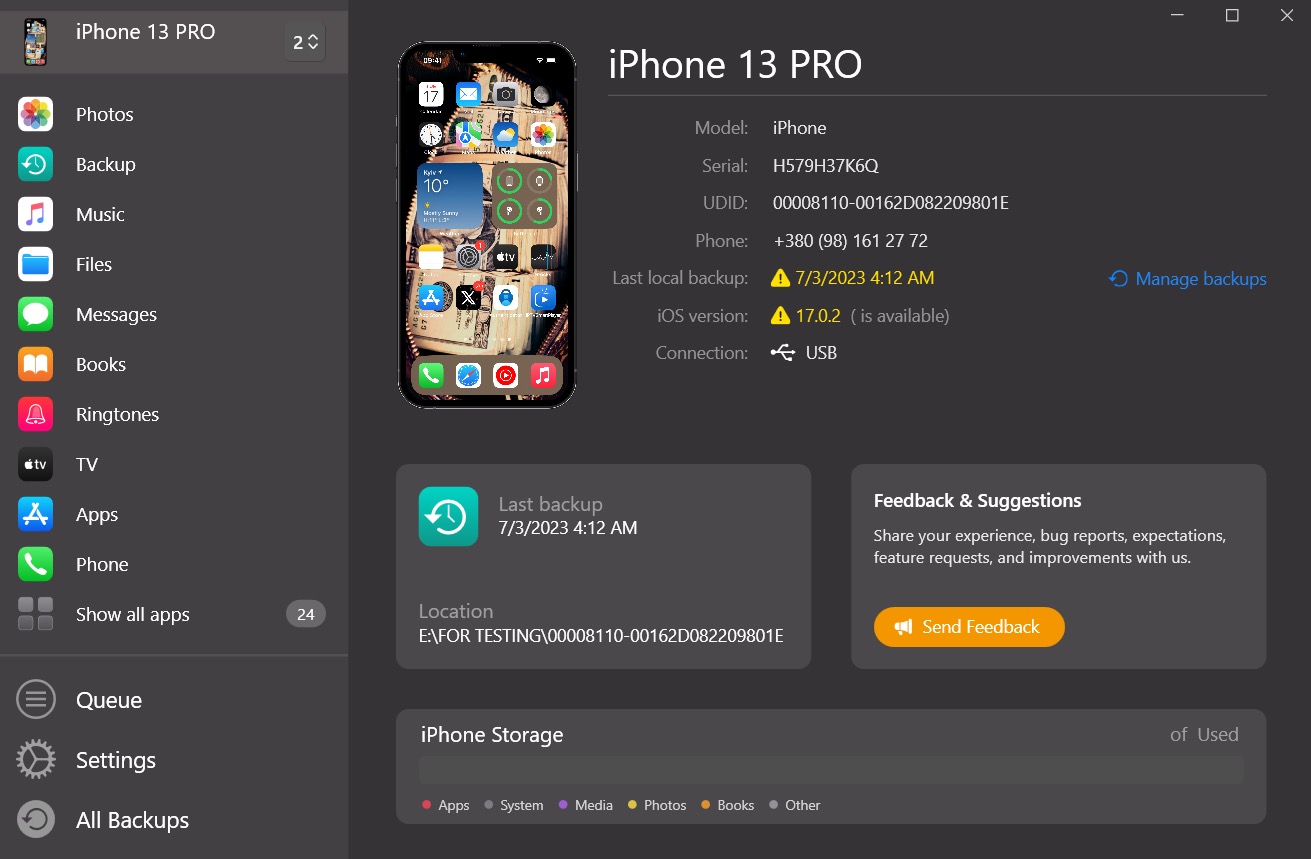
AltTunes focuses on local backups and data access on Windows.
Supports:
- iPhone backups
- photos
- contacts
- messages
This avoids iCloud storage limits and gives local control.

AltTunes
An Alternative to iTunes That We Always Wanted
Key takeaways
- Sync mirrors data and can overwrite content
- Finder replaces iTunes on Mac
- Windows sync is limited
- iCloud is automatic but storage dependent
- Local transfer tools reduce risk
FAQs
What is the difference between syncing an iPhone and transferring files from an iPhone?
Syncing keeps data mirrored between devices and applies changes both ways. Transferring copies files in one direction without affecting the original data on the iPhone.
How do I sync my iPhone to a computer without losing existing data?
Avoid full library sync. Use iCloud for contacts and calendars, and local transfer tools for photos, music, and videos to prevent overwriting existing content.
Can I sync iPhone to Windows without iTunes?
Yes. Windows uses the Apple Devices app for basic syncing, but it has limits. For local backups and file access, third party tools provide more control.
Is Wi Fi syncing safe for large files?
Wi Fi syncing works best for small updates. Large files like videos and music libraries are more reliable over USB to avoid interruptions.
Should I use iCloud or local sync for my iPhone?
Use iCloud for automatic updates and convenience. Use local sync or transfer if you want privacy, offline access, or full control over your files.
AltTunes
Seamlessly Browse, Manage & Export iOS Data
