Best FLAC Player for iPhone: 4 Native Audio Options

Best FLAC player for iPhone: quick picks
Quick answer: foobar2000 is the best FLAC player for iPhone to try first if you want free playback with documented gapless and ReplayGain support. Choose Neutron Music Player for deeper audio controls, or Flacbox for a library spread across cloud storage and a NAS. VOX suits a paid cloud-library workflow. All four list FLAC support. Here, native playback means opening FLAC without first converting the file; it does not mean using Apple's Music app or proving lossless headphone output.
Tool | Best for |
|---|---|
foobar2000 | Free FLAC playback with gapless and ReplayGain |
Neutron Music Player | Detailed audio controls and gain-tag handling |
Flacbox | FLAC collections across local, cloud and NAS storage |
Before we begin
Download WALTR PRO for Mac or Windows if you would rather put your music into the iPhone Music app through a transfer-and-conversion workflow. It offers a free trial. WALTR PRO is not a native FLAC player, and you do not need it for the four players below.
Why listen to us?
Vendor disclosure: Softorino makes WALTR PRO. This guide keeps our transfer software outside the player ranking because it solves a different task. Recommendations follow documented iPhone features and limitations, including cases where a free app is enough.
This is a documentation-based comparison of developer pages, US App Store listings and Apple Support, reviewed on October 26, 2026. No listening, file-import, DAC or bit-perfect tests were performed. App features below are published specifications, not measured sound-quality results.
Full comparison table
Every player below lists FLAC decoding. The differences are album transitions, volume tags, library access and paid features. “Unknown” means the reviewed sources did not establish the feature. It does not mean the app lacks it. Prices are displayed USD options in the US storefront on October 26, 2026; local prices and offers may differ.
Player | Native FLAC | Gapless and ReplayGain | Library route | Price model | Minimum iOS |
|---|---|---|---|---|---|
foobar2000 | Listed | Both documented | Local files and network library | Free | 18.6 for current release |
Neutron Music Player | Listed | Both documented | App-local files and network sources | $12.99 upfront | 13.0 |
Flacbox | Listed | Gapless claim needs caution; ReplayGain unknown | Cloud, NAS, local files and tags | Limited free; $2.99 monthly, $19.99 yearly or $69.99 lifetime | 15.5 |
VOX | Listed | Gapless listed; free-tier access unclear; ReplayGain unknown | Personal files; Premium VOX Cloud | Free download; Premium advertised at $4.99 monthly or $49.99 yearly | 13.0 |
The table compares iPhone versions. Desktop foobar2000 components, VOX Mac settings and Android audio features should not be assumed to exist on iOS. A free download also does not establish free access to every audio control or cloud feature.
How we evaluated
The shortlist focuses on people keeping their music as FLAC. Neutron, Flacbox and VOX add specialist choices beyond our general offline music players for iPhone guide. foobar2000 stays here because its mobile documentation explicitly names both gapless playback and ReplayGain.
- Codec handling: can the app open FLAC without a separate conversion step?
- Album playback: does the iPhone documentation name gapless playback and ReplayGain?
- Processing: which equalizer or other audio controls are documented for iPhone?
- Library access: where can files live, and how does the player organize them?
- Cost and compatibility: what does the current US listing say about paid tiers and iOS requirements?
- Output limits: what can official sources establish, and what still needs a device-specific check?
Source priority: Current iPhone listings take priority over older cross-platform roundups. Conflicting vendor claims stay visible. No ratings, listening scores or “best sounding” award decide the order. The useful result is a shortlist for your files and habits.
Quick Takeaways
Start with foobar2000 if free FLAC playback, gapless albums and ReplayGain are your priorities.
Choose Neutron when you want more audio controls and are willing to configure them.
Choose Flacbox for file-source flexibility, but check its free limits and gapless behavior first.
Consider VOX when its paid cloud library is part of the plan, not just because the download is free.
Separate FLAC decoding from headphone output. A lossless source does not make a Bluetooth connection lossless.
foobar2000: free FLAC playback with gain-tag support
foobar2000 is the best starting point for a FLAC collection when you want explicit gapless and ReplayGain support without buying the player. Its iPhone listing names those features alongside FLAC, ALAC, Opus and other formats. That gives it a specific advantage for continuous albums and collections with gain tags.
The current version requires iOS 18.6 or later. The developer says older devices stay on an earlier release, but that is not a promise that a new installation will work on every older phone. Check the App Store requirement on your device before preparing a large import.
foobar2000 key features
- FLAC decoding, gapless playback and ReplayGain-based volume adjustment.
- UPnP server playback and downloads, with other local and network routes documented in iOS release notes.
- Equalizer controls and optional Audio Unit DSP support in the mobile release notes.
foobar2000 pros
- The iPhone player is free.
- Gapless and ReplayGain appear in the mobile listing, rather than only desktop marketing.
- Local and network-library options suit collections that already have organized tags.
foobar2000 cons
- The current release needs a relatively recent iOS version.
- Windows desktop components are not a checklist of iPhone features.
- Supported network protocols do not guarantee that every server setup will connect without adjustment.
foobar2000 pricing
The US App Store lists foobar2000 as free, with no in-app purchase section shown in the reviewed listing. Its current iOS page identifies version 2.26 and the iOS 18.6 minimum. Source: foobar2000 for iPhone.
Who foobar2000 is best for
Choose foobar2000 if you have tagged FLAC albums and want a free player with documented album continuity and gain handling. If your main requirement is a specific cloud provider or extensive parametric EQ, compare Flacbox or Neutron before committing to the import route.
Neutron Music Player: detailed audio controls
Neutron is the paid pick for readers who want to control playback processing. Its documentation lists FLAC, gapless playback, ReplayGain metadata processing and a parametric equalizer with 4 to 130 bands. Those controls provide choices; they do not prove better audible sound than another player.
Neutron's iPhone listing specifies local files in the app's Documents area and several network sources. It also supports non-DRM iTunes-library content. That does not include a promise to import protected subscription downloads or a one-tap route from every Files provider.
Neutron Music Player key features
- FLAC decoding, gapless playback and ReplayGain metadata processing.
- Parametric EQ, crossfeed and other documented audio-processing controls.
- Local files, SMB, UPnP/DLNA, SFTP, FTP and WebDAV sources.
- CUE sheets and common playlist formats for organized album collections.
Neutron Music Player pros
- The developer names both gain-tag handling and gapless playback.
- Its detailed controls suit readers with a specific EQ or processing need.
- The iPhone release supports iOS 13.0 and later, according to its current listing.
Neutron Music Player cons
- It is a paid download rather than the free starting point in this comparison.
- More controls mean more settings to understand and check.
- A bit-perfect marketing claim is not proof of unchanged output with your settings and accessory.
Neutron Music Player pricing
Neutron Music Player costs $12.99 upfront in the US App Store listing reviewed on October 26, 2026. No subscription tier appeared in that listing. The developer's older cross-platform OS statement differs from the current iPhone listing, so use the storefront requirement. Source: Neutron Music Player for iPhone.
Who Neutron Music Player is best for
Choose Neutron if you already know why you need ReplayGain, parametric EQ or network-library controls. Start with a small album and a simple processing setup. If you only want to play ordinary FLAC albums, try free foobar2000 before paying for controls you may never use.
Flacbox: FLAC libraries across cloud and NAS storage
Flacbox is the strongest fit here when reaching your collection is the main problem. Everappz documents FLAC playback without conversion, cloud connections, NAS protocols and local transfer routes. Its library tools sort music by tags and include a tag editor.
Check album transitions: Everappz advertises gapless playback on Flacbox's product page, but its own comparison copy associates gapless with Evermusic. This documentation review leaves that vendor conflict unresolved. If uninterrupted live albums are essential, verify that behavior before paying. ReplayGain support was not established by the reviewed sources.
Flacbox key features
- Native FLAC playback alongside other audio formats.
- Cloud and NAS access, including documented SMB, WebDAV and DLNA routes.
- Wi-Fi Drive and computer file-sharing options for local files.
- Tagged albums, artists and genres, plus metadata editing and audio effects.
Flacbox pros
- It offers several ways to reach a library spread across devices and services.
- Tag editing can help organize albums without converting their audio.
- A free tier lets you examine the workflow before choosing Premium.
Flacbox cons
- The free tier has ads and limits; it is not equivalent to Premium.
- Vendor gapless wording is inconsistent, and ReplayGain remains unverified here.
- Remote library access is not proof that an album is stored on the phone.
Flacbox pricing
The US listing shows a free download with Premium options of $2.99 monthly, $19.99 yearly or $69.99 lifetime. These differ from prices in the vendor page's introductory text, so this comparison uses the storefront values. Source: Flacbox for iPhone.
Everappz's tier FAQ documents ads and limits on free playlists, cloud connections and offline collections. Parts of that FAQ conflict about bulk downloads. Check the current in-app plan for the exact album-download job you need; this guide does not promise unlimited free offline access.
Who Flacbox is best for
Choose Flacbox if you want one player to reach FLAC files on cloud storage, a computer or a NAS, with library and tag tools. Choose Neutron or foobar2000 first if explicit ReplayGain support is a must-have. Keep a separate backup of your original collection.
VOX: a paid cloud-library route for FLAC
VOX fits readers who want their personal FLAC collection in VOX Music Cloud across devices. The developer says uploaded FLAC stays FLAC rather than becoming another format. That cloud service is part of Premium, not a free storage entitlement included with the app download.
The iPhone listing names gapless playback and several audio controls. However, the Premium page reserves advanced audio settings for subscribers and includes gap/crossfade settings. Treat free-tier access to those controls as unresolved until you check the app. No reviewed source established iPhone ReplayGain support.
VOX key features
- FLAC and other formats in the iPhone player listing.
- Personal-file transfer through AirDrop, Wi-Fi and file sharing.
- Premium cloud storage, device sync and offline cloud saves.
- Documented audio controls with Premium restrictions on advanced settings.
VOX pros
- Its cloud offering gives an owned FLAC collection a cross-device route.
- The developer explicitly says FLAC files remain in their original format in VOX Cloud.
- Local-file import options exist alongside the paid cloud service.
VOX cons
- Premium cloud and advanced settings require an ongoing subscription.
- The free download does not establish free access to every listed control.
- Mac-specific settings such as Hog Mode should not be assumed to exist on iPhone.
VOX pricing
VOX is free to download. Its US iPhone listing advertises Premium at $4.99 per month or $49.99 per year. The storefront also exposes other purchase labels, so confirm the term and renewal price inside the app. Source: VOX for iPhone.
Who VOX is best for
Choose VOX if its paid cloud library is something you want to maintain. Skip that subscription if your albums already fit on the phone and you only need local playback. foobar2000 is the simpler purchase decision for that narrower requirement.
How to choose
- If you want free FLAC playback with documented gapless and ReplayGain, start with foobar2000 on a compatible iPhone.
- If you need deeper EQ and gain-tag controls, consider Neutron Music Player.
- If your collection spans cloud services and NAS storage, try Flacbox and check its current plan limits.
- If you want a hosted FLAC library across devices, consider VOX Premium.
- If you want songs inside Apple's Music library, use a FLAC-to-ALAC workflow instead of choosing a separate player.
Keep the decision narrow: A player can decode FLAC correctly without becoming the best choice for your album organization. Likewise, more processing controls do not establish more accurate output. Choose the import route and playback features you actually need.
Gapless, ReplayGain and crossfade are different features
Gapless playback avoids an added pause between tracks. It matters for a live album or a continuous mix split into separate files. Crossfade overlaps the end of one track with the beginning of another, which changes that transition. A crossfade option is not proof of gapless album playback.
ReplayGain uses gain information to adjust playback volume. Neutron and foobar2000 explicitly document that support. A generic “normalization” or equalizer feature does not establish that an app reads ReplayGain tags. If preserving an album's relative levels matters, check the player's album-versus-track gain settings.
For a practical check, use a short continuous album you own. Play across a track boundary with crossfade off, then check how your gain settings affect playback. These are suggested checks for your device, not test results from this review. Keep volume at a safe level when changing processing settings.
Native FLAC playback does not prove lossless output
The output connection matters: An app opening a FLAC file establishes decoding support. It does not prove that the final signal reaches your headphones unchanged. EQ, gain changes and other processing can alter playback even though the stored source remains FLAC.
Apple's lossless-audio guidance says Bluetooth connections are not lossless. For Apple Music on iPhone, it describes wired listening and says playback above 48 kHz requires an external digital-to-analog converter, or DAC. Its USB-C AirPods Max support is a wired exception, not a Bluetooth lossless claim.
Those instructions describe Apple Music. They do not certify the sample rate sent by Neutron, VOX, Flacbox or foobar2000 to your accessory. Check the player, adapter and DAC documentation for your exact setup. This comparison makes no claim of tested bit-perfect output or audible superiority.
You also do not need to convert a FLAC archive merely because you use Bluetooth headphones. The file and the connection are separate choices. Our ALAC versus FLAC guide explains the format decision if you are considering an Apple-library copy.
Want your music in the iPhone Music app instead?
WALTR PRO is the alternative transfer route from a Mac or Windows PC. Its documented workflow is to connect the device, add a file and choose the destination. It handles supported format conversion for Apple playback. This is a different choice from keeping FLAC inside a separate player.
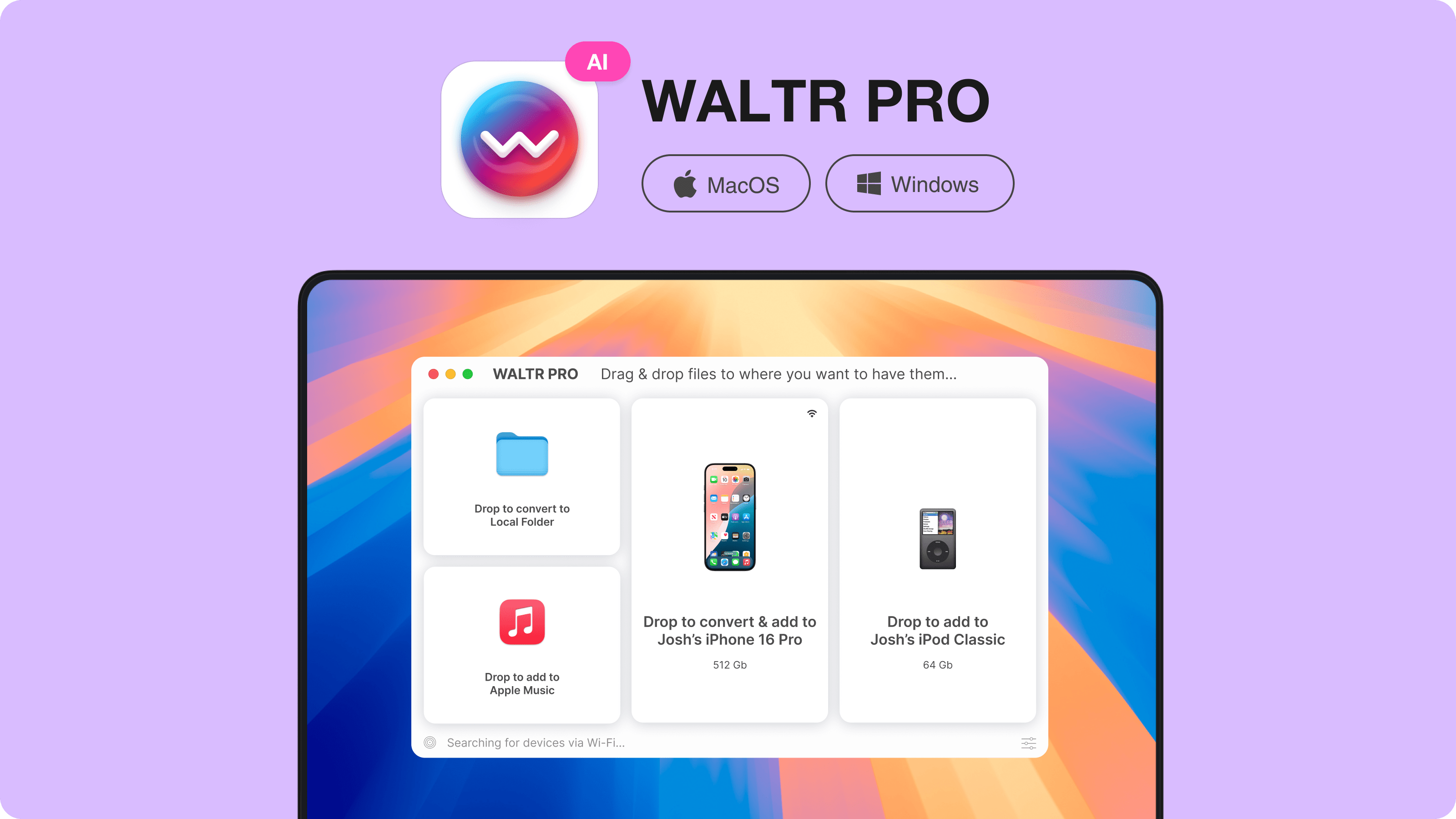
Try one owned album through the WALTR PRO free trial if Music is your preferred destination. Check the transferred tracks and metadata before moving more. If your chosen FLAC player already imports your files, keep using that route; adding a transfer tool is unnecessary.
Frequently asked questions
What is the best free FLAC player for iPhone?
foobar2000 is the best free starting point here for documented FLAC, gapless and ReplayGain support. Its current release requires iOS 18.6 or later. Choose by compatibility and library workflow; this recommendation is not a claim that it sounds better than other players.
Can iPhone play FLAC without converting it?
Yes, third-party iPhone players including foobar2000, Neutron, Flacbox and VOX list FLAC support. You can keep the file in FLAC rather than converting it first. Playback inside one of those apps is separate from importing songs into Apple's Music library.
Which iPhone FLAC players support ReplayGain?
Neutron Music Player and foobar2000 explicitly document ReplayGain support. This review did not establish it for Flacbox or VOX on iPhone. Do not treat a general normalization feature as confirmation that the player reads ReplayGain tags.
Does gapless playback mean crossfade?
No. Gapless playback avoids an added pause between tracks; crossfade overlaps parts of two tracks. For a continuous album, check gapless behavior with crossfade off. A vendor's crossfade setting alone does not answer that question.
Will a FLAC player make AirPods Bluetooth playback lossless?
No. A player decoding FLAC does not make the Bluetooth connection lossless. Apple states that Bluetooth connections are not lossless. Wired listening has separate accessory and output requirements, and this review did not test any player-and-DAC combination.
Is WALTR PRO a native FLAC player?
No. WALTR PRO is Mac and Windows transfer software with supported format conversion for Apple-device playback. Use it if you want a transfer workflow into Music. Use an iPhone FLAC player if you want playback inside that separate app without prior conversion.
Best FLAC player for iPhone: the bottom line
Start with foobar2000 for free gapless and ReplayGain support. Choose Neutron for detailed audio controls, Flacbox for broad file-source access, or VOX for its paid cloud library. Check current iOS support, paid-tier limits and one album before moving your collection. None of those choices alone proves lossless headphone output.

WALTR PRO
Convert & Push Any File into Any Apple Device
