Best Offline Music Player for iPhone: 5 Local Options

Best offline music player for iPhone: quick picks
Quick answer: VLC is the best offline music player for iPhone if you want free, flexible playback of files you already own. Choose Doppler for a dedicated local library with tag and artwork editing, or Evermusic for cloud files you download before a trip. foobar2000 suits audio-focused users; Apple Music works for manually synced local songs without a catalog subscription. The key check is storage: the song must be on your phone, not just listed on a server.
Tool | Best for |
|---|---|
VLC | Free playback across music and video files |
Doppler | An organized local music library on iOS 26 or later |
Evermusic | Cloud or NAS music downloaded before travel |
Before we begin
Download WALTR PRO for Mac or Windows if you want to put your own songs into the iPhone Music app without an iTunes sync. WALTR PRO is a paid transfer companion with a free trial, not a music player. You do not need it to use the other players below.
Why listen to us?
Softorino makes WALTR PRO, so we have a commercial interest in the transfer step. This comparison keeps that job separate from choosing an iPhone player. Recommendations follow published features, import routes, pricing and limitations, rather than placing our own software in a category it does not belong to.
This is a documentation-based review of official product pages, Apple Support and US App Store listings, checked on October 26, 2026. No listening, battery-life or device import tests were performed. The choices below are editorial recommendations, not measured performance rankings.
Full comparison table
Every row has a subscription-free route. That can mean a free player, a limited free tier or a one-time purchase. It does not mean free access to a streaming service's music catalog. Prices are in USD from the US storefront, checked October 26, 2026; local prices and offers can differ.
Tool | Best fit | Route to local files | Library tools | Price for this route | Ads and key limitation |
|---|---|---|---|---|---|
VLC | Free mixed-media playback | Wi-Fi sharing, cloud imports, file sharing | Media library and audio playback | Free | Ad status not established here; general media app |
Doppler | A dedicated local collection | Files, AirDrop, Wi-Fi or USB transfer | Tags, artwork, playlists and search | 7-day trial; Doppler 3 purchase $9.00 | Ad status not established here; iOS 26+ |
Evermusic | Cloud/NAS collection saved offline | Cloud download, Wi-Fi or file sharing | Tags, playlists and file manager | Limited free tier; Premium lifetime $59.99 | Free tier has ads and offline limits |
foobar2000 | Audio formats and playback controls | Documented UPnP downloads | Gapless playback and ReplayGain | Free | Ad status not established here; iOS 18.6+ |
Apple Music | Native, manually synced library | Finder on Mac; Apple Devices on Windows | Albums, artists and playlists | Free local-library route | Ad status not evaluated; sync needs care |
An unverified ad entry is not a claim that the app displays ads. Evermusic's developer explicitly documents ads in the free tier and removal with Premium. The other reviewed listings did not establish a comparable advertising policy, so this guide does not certify them as ad-free.
How we evaluated
The comparison uses six criteria: how files reach the phone, local playback, library organization, format support, current cost and compatibility. Official documentation takes priority over third-party roundups. In particular, Doppler's Mac price is separate from its iPhone purchase, and a free App Store download can be a trial.
The shortlist covers distinct workflows rather than every app with “offline” in its name. We excluded streaming catalogs from the player ranking. No sound-quality winner is declared, and support for a file format does not establish better audio output.
Quick Takeaways
Download or import tracks before leaving Wi-Fi; a cloud library entry is not a local copy.
Start with VLC for a free general player or foobar2000 for an audio-focused option.
Check your iOS version before choosing Doppler or foobar2000.
Treat Doppler's trial and Evermusic's limited free tier differently from a permanently free player.
Choose Apple Music's local library if you want songs in the native app; choose the transfer method separately.
VLC: free music and video playback
VLC is the first option to try when price and flexible file access matter most. It plays music as well as video, so you can keep one app for a mixed collection. VideoLAN describes it as free and open source, with direct playback of most formats without conversion.
The useful distinction is between importing a file and streaming one. VLC lists both cloud/file-sharing routes and network streaming. A remote file still needs to be available over a network unless you have saved a local copy. Check the imported file before travel instead of relying on a recently played stream.
VLC key features
- Wi-Fi sharing and file synchronization with services including iCloud Drive, Dropbox and Google Drive.
- Network access through protocols such as SMB and UPnP/DLNA.
- A media library for both audio and video files.
VLC pros
- The player is completely free, with no paid playback tier described by VideoLAN.
- Its range of file sources suits collections spread across a computer and cloud storage.
- It is useful beyond music, which can reduce the number of media apps you need.
VLC cons
- The general media interface may be less appealing than a dedicated music library.
- A working network stream does not prove the file is ready for airplane mode.
- “Most formats” is not a promise that every unusual file will play.
VLC pricing
VLC is free. Its US App Store listing states that the app is completely free and open source. No streaming catalog is included with that price.
Who VLC is best for
Choose VLC if you want to try local playback without paying first, especially when your folder includes both songs and videos. Choose Doppler instead if editing album information on the phone is central to your routine.
Doppler: a dedicated local music library
Doppler is the stronger fit for people who organize albums, not just open files. It stores music and playlists locally and lets you edit song and album information without syncing those edits through a computer. That makes it a practical choice for an owned collection with inconsistent tags or missing artwork.
Compatibility comes first. The current iPhone release requires iOS 26 or later. An older phone that cannot run that version should look at another player before spending time preparing a library.
Doppler key features
- Imports through Files, AirDrop, Wi-Fi and USB using the developer's transfer tools.
- Local playback of formats including MP3, FLAC, AAC and WAV.
- Metadata editing, artwork search, playlists and a reorderable playback queue.
Doppler pros
- Music and playlists stay on the device for offline use.
- Album artwork and metadata can be managed inside the player.
- The current iPhone version has a one-time purchase rather than a required player subscription.
Doppler cons
- It requires iOS 26 or later and is listed as an iPhone app.
- It cannot import songs or playlists from Apple Music, according to its listing.
- The Mac application is a separate purchase; do not assume the iPhone price includes it.
Doppler pricing
Doppler includes a seven-day trial. The US iPhone listing shows a $9.00 Doppler 3 purchase on October 26, 2026. The developer's $30 Mac price is for a different application, not the cost of this iPhone player.
Who Doppler is best for
Choose Doppler if your iPhone runs the required iOS version and you want a dedicated local collection with editable tags. Skip it if your “files” are actually songs locked inside an Apple Music subscription library.
Evermusic: cloud files made available offline
Evermusic fits a library that starts in cloud storage or on a NAS. You can connect a source, select music and download the files you want on the phone. The rest of the library can remain remote, which is useful when the full collection will not fit on the device.
The free tier needs a closer look than the download button suggests. Everappz documents ads, playlist limits and restrictions on offline features. A small trial collection can help you decide whether those limits fit your routine before buying Premium.
Evermusic key features
- Connections to cloud services and network storage.
- Computer imports through Wi-Fi or file sharing.
- Local downloads, playlists, tags and file-management tools.
Evermusic pros
- You can keep a large remote collection and carry only selected local files.
- The free tier offers a way to assess the workflow before paying.
- Premium has a lifetime purchase option for readers who want to avoid renewal payments.
Evermusic cons
- The free version has ads, up to 10 playlists and 3 cloud services.
- Free allows individual cloud-file downloads and one offline folder. The developer's tier table reserves whole-folder downloads and bulk album/artist/genre downloads for Premium.
- Music that remains on the server cannot play without a connection to that server.
Evermusic pricing
This comparison covers the blue Evermusic app. Its US listing shows Premium at $1.99 per month, $12.99 per year or $59.99 lifetime. The free tier is limited; the lifetime option is the no-subscription paid route. The separately packaged red Evermusic Pro app is not the same purchase.
Who Evermusic is best for
Choose Evermusic if cloud or NAS access is the reason you need a new player. If you only have a few albums already on the phone, VLC or Doppler may be a simpler match. Save your trip tracks before leaving the network. The developer lists one offline music collection on Free; use individual downloads or check whether your planned batch needs Premium.
foobar2000: free audio-focused playback
foobar2000 is worth considering when formats and playback controls outweigh visual polish. Its mobile listing names MP3, AAC, FLAC, Opus, WAV and other formats. It also documents gapless playback and ReplayGain, which adjusts playback volume using gain information.
The official listing explicitly supports playback and downloads from UPnP media servers. That is the import route verified for this review. Other import methods are not ruled out, but this guide does not promise a Files or AirDrop workflow without supporting documentation.
foobar2000 key features
- A published audio-format list that includes FLAC, Opus and WavPack.
- Gapless playback and ReplayGain support.
- UPnP playback/downloads and appearance customization with skins.
foobar2000 pros
- The mobile app is free.
- Audio-specific features give it a clear purpose alongside general media players.
- Download support lets a compatible server collection become local listening material.
foobar2000 cons
- The current release requires iOS 18.6 or later.
- The documented UPnP route adds setup if you do not already use a media server.
- Desktop foobar2000 features and components should not be assumed to exist on mobile.
foobar2000 pricing
The US mobile listing lists foobar2000 as free. No in-app purchase is shown on the reviewed listing. This is a file player, not a subscription music catalog.
Who foobar2000 is best for
Choose foobar2000 if you want a free audio player and value its documented format and playback features. Choose a player with a verified Files import route if that is how you plan to load every album.
Apple Music: your own library without a subscription
The Music app can play manually synced local music without an Apple Music subscription. Apple's subscription service and the app share a name, which causes needless confusion. A subscription buys catalog access and cloud features; it is not required simply to play your own manually synced songs.
Apple explicitly points readers who do not want Apple Music or iTunes Match toward manual sync. On Mac, that means Finder. On Windows, Apple's current route uses Apple Devices, with Apple Music for Windows installed. Those are library-management workflows rather than a direct Files-to-Music import button.
Apple Music key features
- Native playback of music synced onto the iPhone.
- Library selection by playlists, artists, albums and genres through computer sync.
- Separate subscription-based Sync Library for people who want cloud library access.
Apple Music pros
- You can keep using the native app for your own local library.
- Manual sync does not require an Apple Music or iTunes Match subscription.
- An existing, organized computer library gives you a clear starting point.
Apple Music cons
- A song visible in Files does not automatically become part of the Music library.
- Windows manual sync needs Apple Music for Windows installed and Sync Library turned off for that route.
- Finder can erase and replace synced media when you accept a different-library prompt.
- Subscription catalog downloads do not become freely transferable music files.
Apple Music pricing
The local-library route is free, apart from any music or optional transfer software you buy. Apple's Sync Library guide separates paid cloud-library access from manual sync. Streaming catalog subscriptions are outside this comparison. Follow Apple's Windows sync instructions before changing Sync Library settings.
Who Apple Music is best for
Choose Apple Music if you already manage a computer music library and want the native iPhone destination. Choose a separate file player if you prefer its own import and library tools instead of Apple's sync workflow.
How to choose
- If you want a free starting point for mixed media, choose VLC.
- If you want local tags, artwork and playlists on a compatible iPhone, try Doppler.
- If your collection lives in cloud storage or on a NAS, try Evermusic and check the free limits.
- If documented audio formats, gapless playback and ReplayGain matter most, consider foobar2000.
- If you want songs inside the native Music library, choose Apple Music and decide how to transfer them.
For the last option, our guide to adding music to iPhone covers the transfer decision. If format conversion is the obstacle, see FLAC to ALAC for Apple devices. Neither step requires replacing a player you already like.
Check offline playback before you travel
A library entry, album cover or recently played track is not proof that the whole file is on your phone. Use this small checklist with your chosen app. It is a suggested reader test, not a test performed for this article.
- Import or download a small set of tracks you have permission to keep.
- Wait for every transfer to finish, including tracks you have not played yet.
- Turn on airplane mode and explicitly turn Wi-Fi off.
- Play several tracks from the beginning and seek near the end.
- Lock the screen and confirm playback behaves as you need.
- Repeat with the headphones or speaker you will actually use.
Keep a backup outside the player. A local phone copy should not be your only copy of purchased music or personal recordings. Check free storage before importing a large library, and keep cloud credentials limited to services you actually use.
Respect the source. These apps do not grant download rights or remove streaming-service restrictions. Use owned, licensed or otherwise authorized files. A cached song from a subscription service is not an ordinary MP3 you can move between players.
Want your files in the native Music app?
WALTR PRO addresses the transfer step on Mac and Windows. Its documented workflow is to add your file, choose the destination and let the transfer finish. The product page specifically describes adding songs to the native Music app and handling conversion when needed.
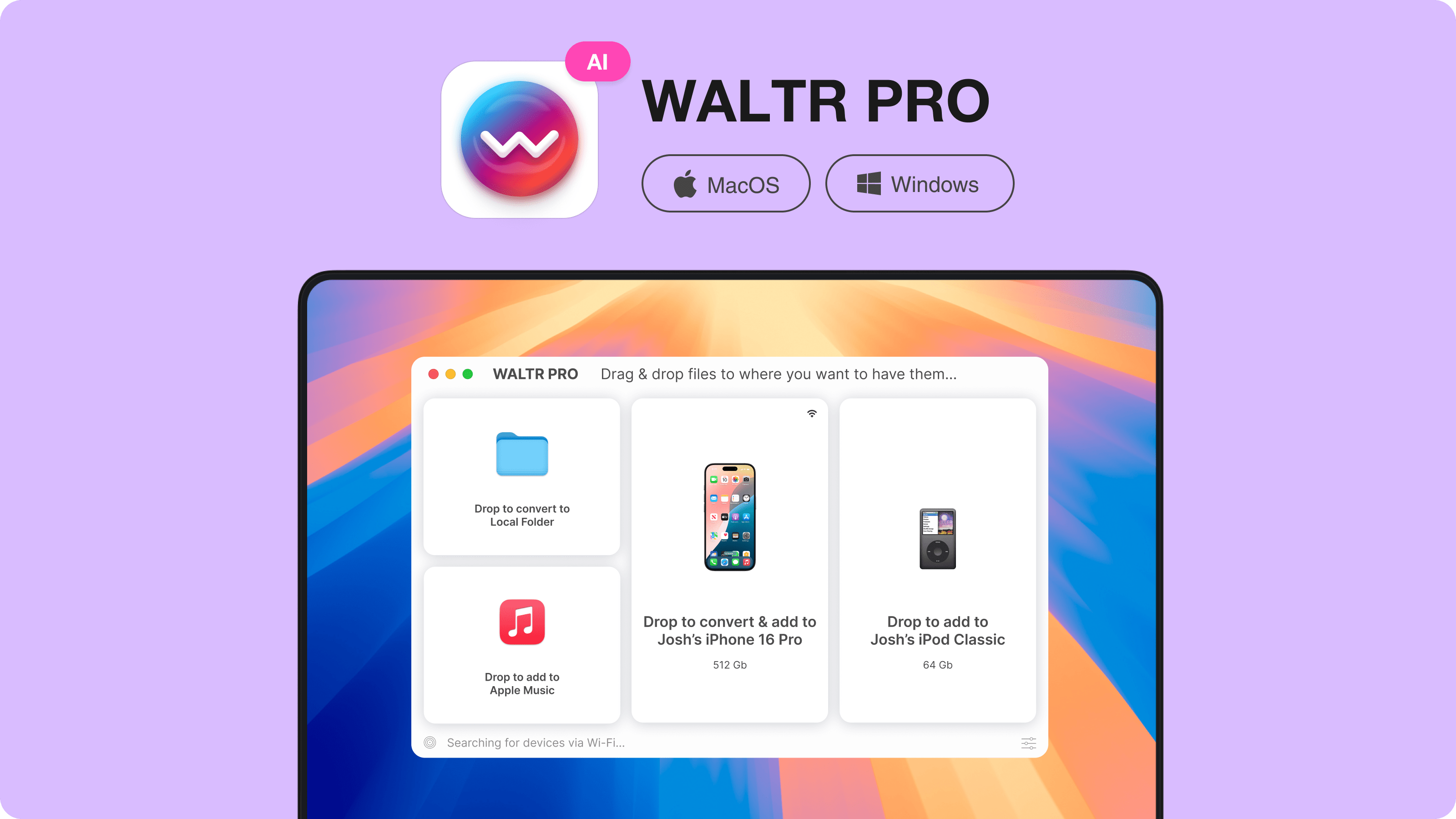
Start with a few owned tracks through the WALTR PRO free trial. Open Music on the iPhone and check the songs and metadata before moving more. If your chosen player already imports files the way you want, there is no reason to add a separate transfer tool.
Frequently asked questions
What is the best offline music player for iPhone without a subscription?
VLC is the best free starting point for flexible local-file playback. Doppler suits a dedicated paid library, while Evermusic fits cloud files downloaded for offline use. Choose by your import route and library needs, not by an unsupported sound-quality ranking.
Can I use the iPhone Music app without Apple Music?
Yes, the Music app can play your own manually synced songs without an Apple Music subscription. Apple's paid catalog and Sync Library are separate features. Use Finder on Mac or Apple Devices on Windows for the documented manual-sync route.
Why does my offline music stop working in airplane mode?
The file may still be remote or only partly downloaded. Save the complete track to the player before disconnecting, then test with airplane mode on and Wi-Fi off. A cloud library entry or cached album cover does not establish offline availability.
Is Doppler free or a subscription app?
Doppler offers a seven-day trial, then a paid iPhone purchase. The US listing showed Doppler 3 at $9.00 on October 26, 2026. Its separately sold Mac application has a different price, so check the iPhone listing before buying.
Can these players import Apple Music subscription downloads?
Do not treat Apple Music subscription downloads as portable local audio files. Doppler explicitly says it cannot import Apple Music songs or playlists. Use the original service for its licensed catalog, and use file players for music you can legitimately import.
Is WALTR PRO an offline music player?
No, WALTR PRO is a Mac and Windows transfer companion. It can send your own music into the native iPhone Music app, with conversion where needed. Music or another chosen iPhone player handles playback after the transfer.
Best offline music player for iPhone: the bottom line
Start with VLC if you want free, flexible playback. Pick Doppler for a dedicated local library or Evermusic for cloud-to-offline access. foobar2000 and Apple Music serve different audio and native-library needs. Before committing, verify the app's current iOS requirement, actual cost and one complete offline album on your own phone.

WALTR PRO
Convert & Push Any File into Any Apple Device
