Is Downie Worth It in 2026? Mac Limits, Windows Options, and SYC PRO


If you're asking "is Downie worth it," the honest answer is yes for Mac-only users and no for mixed-device users. Downie is worth it if you live on Mac and want a polished video downloader. It is safe when downloaded from Charlie Monroe Software or the Mac App Store, and it handles a huge list of video sites without making the app feel bloated.
But Downie is less worth it if you use Windows, switch between Mac and PC, or want downloads to land on your iPhone or iPad without the old iTunes sync dance. For that workflow, SYC PRO is the better fit: Mac + Windows support, MP4/MP3 output, playlist and subtitle options, metadata editing, and direct Apple-device transfer.
Use any video downloader only for videos you own, created, licensed, public-domain content, or content you have permission or platform rights to save. Convenient does not mean free-for-all. Annoying, but true.
Before we begin
Download SYC PRO on Mac or Windows when you need a focused Downie alternative for permitted video and audio downloads. Pick MP4 for video or MP3/AAC for audio, then test one item before processing a larger batch.
Quick verdict: is Downie worth it in 2026?
Downie is worth it for Mac-only users who want a simple, respected downloader. Downie is not the best fit for Windows users or iPhone-first users who want one tool across devices.
Here is the short version:
User type | Best fit | Why |
|---|---|---|
Mac-only user | Downie | Polished macOS app, broad site support, simple browser-to-download workflow |
Mac + Windows user | SYC PRO | One video downloader for Mac and Windows |
iPhone or iPad user | SYC PRO | Sends supported downloads to Apple devices without iTunes syncing |
YouTube-only offline viewer | YouTube Premium | Official offline playback inside YouTube apps |
Technical user | CLI tools | Flexible, but not friendly for normal people |
Random online converter user | Usually skip | Too many ads, fake buttons, sketchy redirects, and file-quality surprises |
If your whole life is on Mac, Downie makes sense. If your real question is "what is the best Downie alternative for Windows or iPhone?", skip the Mac-only tool and use SYC PRO.

What Downie does well on Mac
Downie is a Mac video downloader from Charlie Monroe Software. The official Downie page says the app supports over 1,000 sites, including YouTube and Vimeo, and can download YouTube HD video up to 4K.
That is the fair praise. Downie is not some random browser converter with 11 fake download buttons and a pop-up casino hiding behind each click. It is a real Mac app from a known developer.
Downie also fits the way many Mac users want to work:
- paste a URL and download the video
- use browser integration instead of hunting through menus
- save common video or audio outputs
- keep the interface focused on downloading, not a giant media suite
Major Mac-focused sites have praised Downie for being simple and reliable. That matters. If you only use macOS, you may not need anything else.
The catch is not that Downie is bad. The catch is that Downie is Mac-first, and many people no longer live in a Mac-only world.
Where Downie falls short
Downie falls short when the workflow leaves the Mac. That is the big limitation, not the app's quality.
The main gaps are simple:
- No Windows app. If you search for downie windows, the answer is still no. Downie is for macOS.
- Mixed-device friction. Mac at home and Windows at work means 2 different tools, 2 interfaces, and 2 ways things can break.
- iPhone and iPad are extra steps. Downie can prepare common media outputs on Mac, but SYC PRO has the cleaner direct Apple-device workflow.
- Advanced conversion may need more setup. Downie can postprocess common MP4 and audio outputs, but extra conversion workflows may involve tools like Permute.
- No single cross-platform habit. If family, coworkers, or future-you use Windows, a Mac-only app becomes harder to recommend.
That is why this Downie review should not be "Downie bad, Softorino good." Downie is good at its Mac job. SYC PRO is better when the job is downloading allowed video or audio and moving it across Mac, Windows, iPhone, and iPad.
Is Downie safe?
Yes, Downie is generally safe when downloaded from the official Charlie Monroe Software website or the Mac App Store. Avoid cracked copies, repackaged installers, and random mirror sites. That advice applies to every downloader, including the ones that promise the moon and deliver a malware sampler.
A safer Downie setup looks like this:
- Download Downie from the official developer or Mac App Store.
- Keep macOS and Downie updated.
- Avoid cracked versions and unofficial installers.
- Check each site's rules before downloading videos.
- Use downloaded files only when you have the right to save them.

Downie is a respected Mac downloader. The better question is not "is Downie safe?" The better question is "does Downie fit how you actually use your devices?"
Downie vs SYC PRO: practical comparison
Downie vs SYC PRO comes down to platform and destination. Downie is a strong Mac downloader. SYC PRO is stronger when you need a video downloader for Mac and Windows, plus MP4/MP3 downloads that can go to iPhone or iPad without iTunes.
Feature | Downie | SYC PRO |
|---|---|---|
Mac support | Yes | Yes |
Windows support | No | Yes |
Best user | Mac-only downloader user | Mac/Windows user who wants downloads on computer or Apple device |
YouTube support | Yes | Yes |
Vimeo/SoundCloud support | Yes, depending on source | Yes, depending on source |
MP4 output | Yes, with postprocessing options | Yes |
MP3 output | Yes, with audio extraction options | Yes |
iPhone/iPad workflow | Mac-first workflow, extra transfer step may be needed | Direct Apple-device destination workflow |
Playlists and subtitles | Supported in Downie workflows | Supported when the source allows it |
Metadata editing | Basic options | Built for cleaner library metadata |
Best reason to choose it | You only use Mac and want a simple downloader | You want one downloader across Mac, Windows, and Apple devices |
If you are deciding only for a Mac, Downie deserves a look. If you are deciding for your whole setup, SYC PRO is easier to live with.
Best Downie alternative for Windows and iPhone users
The best Downie alternative for Windows and iPhone users is SYC PRO because it solves the platform problem first. It works on Mac and Windows, saves media as MP4 or MP3, and can send supported downloads to iPhone or iPad without iTunes.
That last part matters. A downloader that saves files to a Mac is only half the job if you wanted the video on your iPhone for a flight, gym session, class, or offline viewing later.
SYC PRO is built for this flow:
Step 1: Download and install SYC PRO
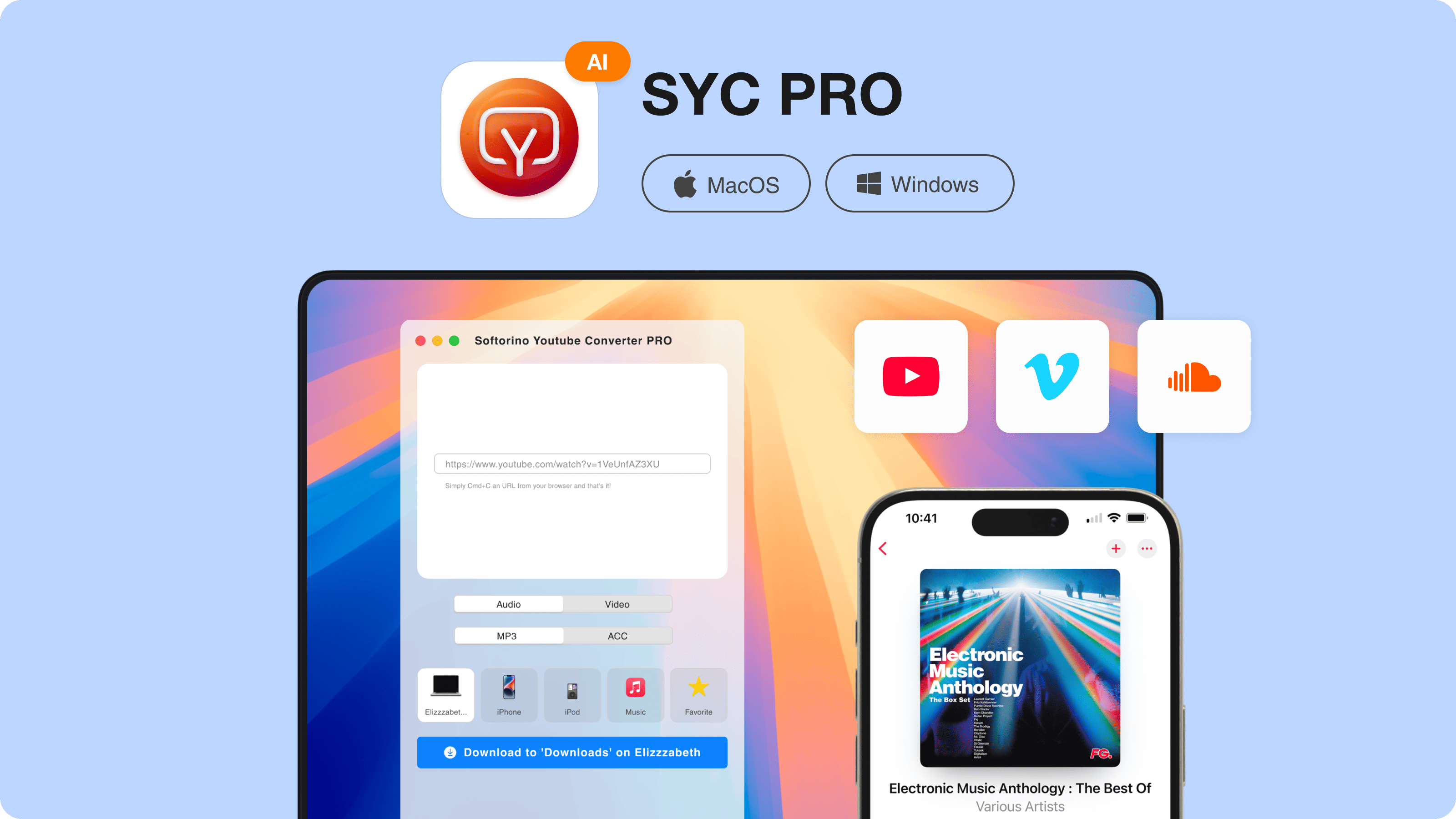
Download Softorino YouTube Converter PRO from Softorino's official website. Install it on your Mac or Windows PC, then start the free trial.
Step 2: Copy the video URL
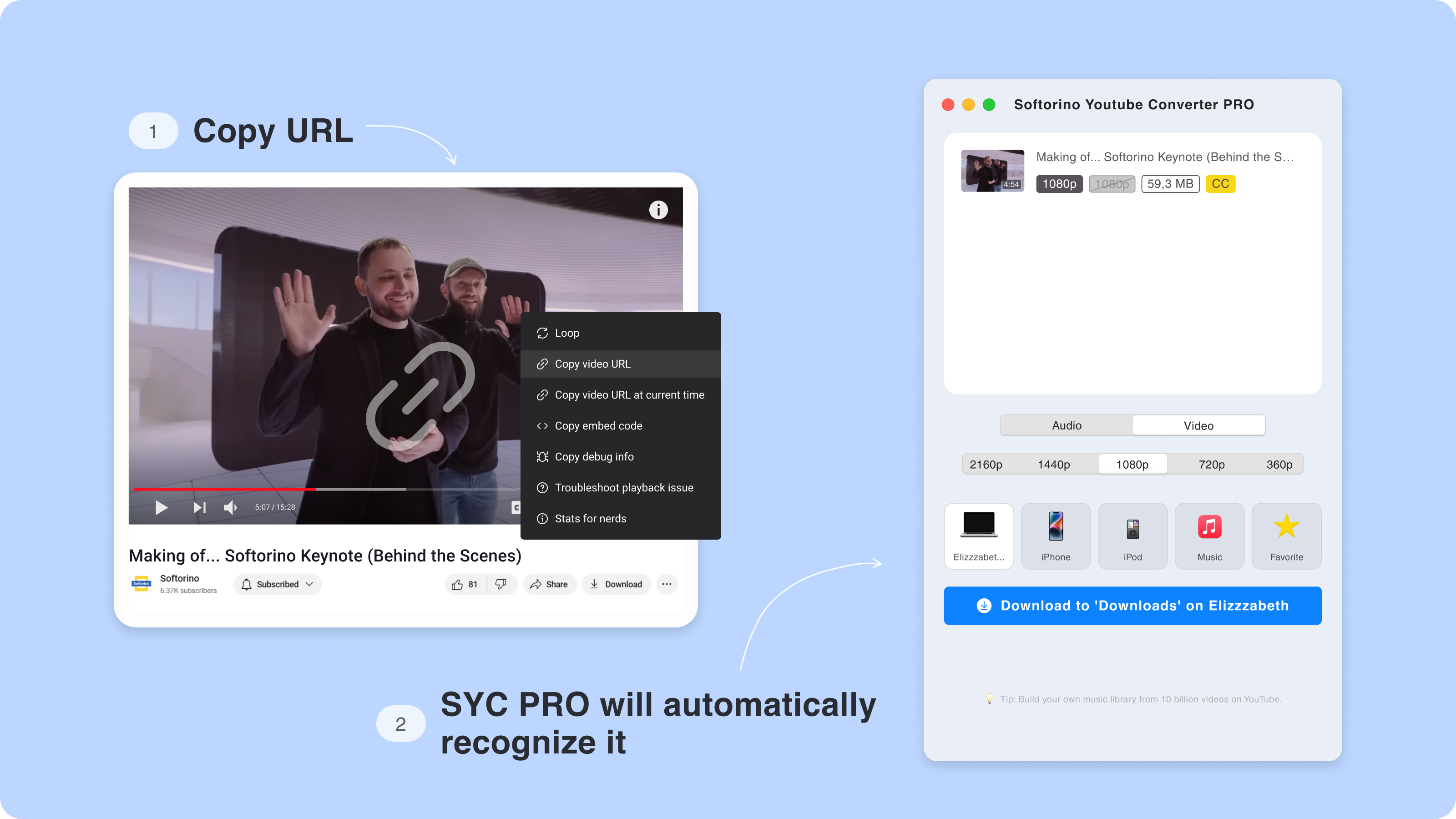
Copy the URL for the YouTube, Vimeo, SoundCloud, or YouTube Shorts item you have permission to save. SYC PRO detects the copied link so you do not have to dig through browser extensions.
Step 3: Choose MP4, MP3, quality, and destination
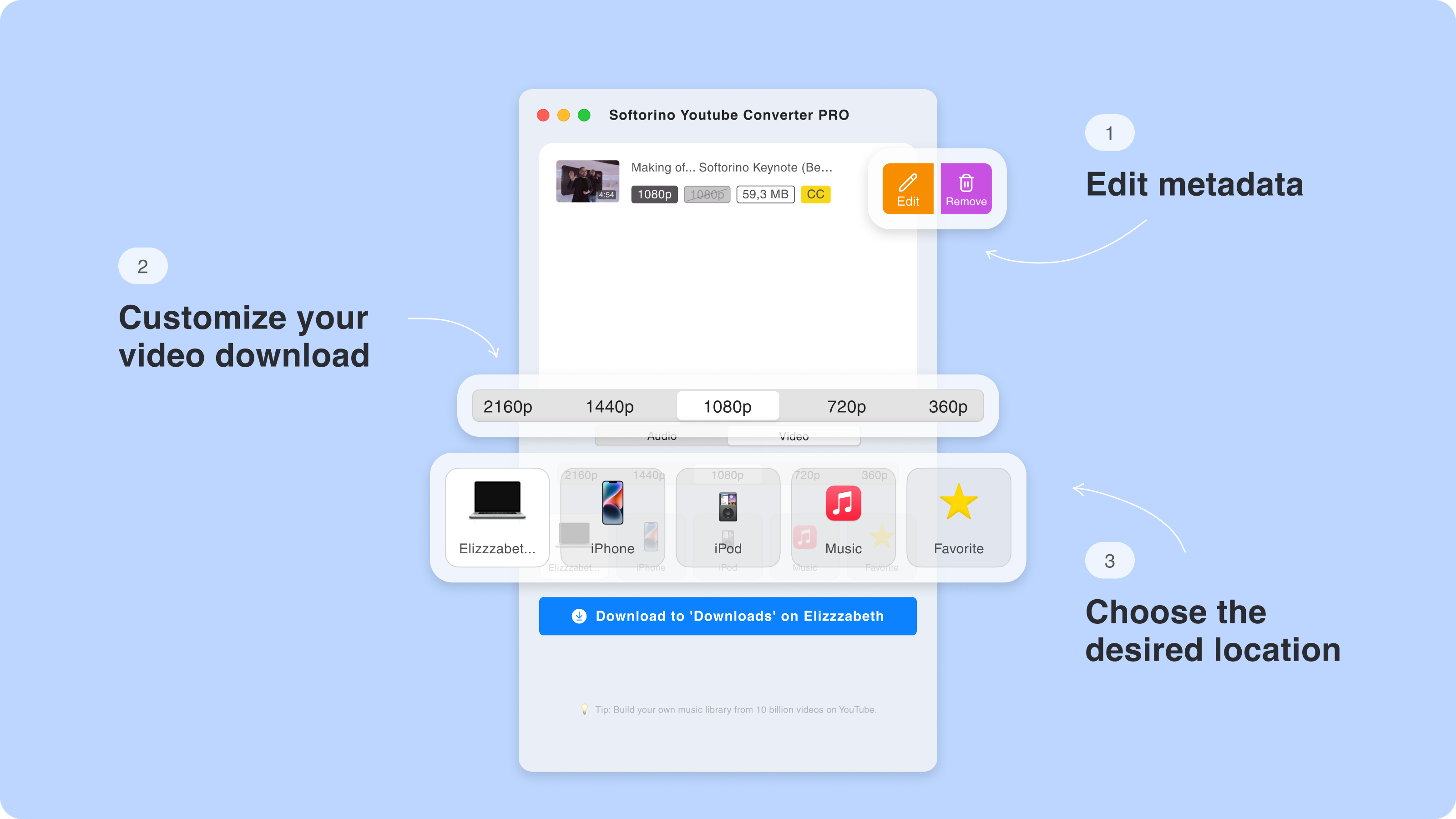
Choose MP4 for video or MP3 for audio. Pick the quality you need, then choose whether to save the file on your computer or send it to an iPhone or iPad.
This is where SYC PRO feels different from a Mac-only downloader. The destination can be your Apple device, not just a folder on the Mac.
Step 4: Start the download
Click Download and let SYC PRO handle the save or transfer. No iTunes sync. No "where did that file go?" scavenger hunt. No explaining to Windows why it should behave like a Mac.
Downie vs YouTube Premium, online converters, and CLI tools
Downie is not the only option. It is just one option, and the right answer depends on what you need.
YouTube Premium is the cleanest official option if you only want offline playback inside YouTube's own apps. It is not the same as downloading files you can manage, transfer, or keep in your own media library.
Online converters are tempting because they look free. The tradeoff is usually ads, fake buttons, broken downloads, low-quality files, privacy concerns, and whatever nightmare the page loads next. Fine for experimenting? Maybe. Good daily tool? No.
Command-line tools can be powerful. They are also command-line tools. If your idea of a nice evening is debugging flags in Terminal, enjoy. Most people want a button.
That leaves the practical split:
- Choose Downie if you are Mac-only and want a clean macOS downloader.
- Choose SYC PRO if you use Mac and Windows or want to download YouTube videos to iPhone or iPad.
- Choose YouTube Premium if official in-app offline playback is enough.
- Avoid random online converters for anything you care about.
Should you choose Downie or SYC PRO?
Choose Downie if your workflow starts and ends on Mac. It is a polished Downie Mac video downloader, and it is safer than random web converters when installed from official sources.
Choose SYC PRO if your workflow crosses devices. SYC PRO is the better Downie alternative when you want Mac + Windows support, MP4/MP3 output, cleaner metadata, playlist or subtitle workflows when available, and direct Apple-device transfer.
The real question is not "which app has more checkmarks?" The real question is where the file needs to end up.
If the answer is "on my Mac," Downie can work well. If the answer is "on my Windows PC, iPhone, or iPad too," download YouTube videos with SYC PRO and skip the extra steps.
For related workflows, see how to download long YouTube videos without failed transfers, download YouTube videos with subtitles, or save YouTube videos as MP4. If you are comparing Mac-only tools, you can also compare another Mac-only downloader.
Safe and legal downloading rules
Video downloader apps do not give you permission to download everything online. Use Downie, SYC PRO, or any downloader only for content you own, created, licensed, public-domain content, or content you have permission or platform rights to save.
For YouTube specifically, check YouTube Help on downloading videos and the platform's own rules before saving content outside the platform. The boring legal note is here because it matters. A good downloader should make allowed workflows easier, not pretend rules do not exist.
FAQ
Is Downie available for Windows?
No. Downie is a macOS-only video downloader. If you need a Downie alternative for Windows, SYC PRO is the better fit because it works on both Mac and Windows.
Is Downie worth it for Mac users?
Yes, Downie is worth it for many Mac-only users. It is simple, respected, and supports a wide range of sites. If you never use Windows and do not need a direct iPhone/iPad destination workflow, Downie may be enough.
Is Downie safe to use?
Yes, Downie is generally safe when downloaded from Charlie Monroe Software or the Mac App Store. Avoid cracked installers and unofficial download sites.
Can Downie send videos directly to iPhone or iPad?
Downie is primarily a Mac downloader. It can prepare common media outputs, but SYC PRO is the cleaner choice when the destination is iPhone or iPad because it has a direct Apple-device workflow without iTunes syncing.
Does Downie require Permute?
Not always. Downie can postprocess common MP4 and audio outputs. Permute can help with extra conversion workflows, but it is more accurate to call it an advanced companion option, not a universal requirement.
What is the best Downie alternative?
SYC PRO is the best Downie alternative if you want a video downloader for Mac and Windows, MP4/MP3 output, metadata options, and direct transfer to iPhone or iPad. If you only use Mac, Downie remains a solid option.

SYC PRO
Download Web Videos Like a PRO
