Is MediaHuman Safe and Good? Better iPhone Alternative


Is MediaHuman safe? Yes, MediaHuman is generally safe when you download it from mediahuman.com. The bigger question is whether MediaHuman is good for your actual workflow. If your job is to download a YouTube video or song and put it on an iPhone, MediaHuman can turn into a chain of separate apps, manual conversion, and iTunes or Finder transfer.
That does not make MediaHuman bad. It means MediaHuman fits desktop-only jobs better than Apple-device workflows. SYC PRO is cleaner when you want one app for allowed YouTube downloads, MP3/MP4 conversion, metadata, and direct transfer to iPhone, iPad, or iPod.
Legal note: only download videos or audio you own, created, licensed, public-domain, or have permission/platform rights to save. A safe app does not give you permission to ignore content rights.
Quick answer: is MediaHuman safe and good?
Yes, MediaHuman is safe from the official source and good for narrow desktop tasks. It is less good when your end goal is an iPhone or iPad. The work gets split across download, conversion, and transfer steps.
Question | Short answer |
|---|---|
Is MediaHuman safe? | Yes, when downloaded from the official MediaHuman website. Avoid mirrors, cracks, and fake ads. |
Is MediaHuman good? | Yes for desktop-only MP3 or video downloads. Less good for Apple-device transfer. |
Does MediaHuman replace iTunes? | No. You still need another transfer method to move files to iPhone or iPad. |
Best fit | Desktop users who like separate utilities for specific jobs. |
Better iPhone fit | SYC PRO, if you want download, conversion, metadata, and device transfer in one app. |
Before we begin
Download SYC PRO on Mac or Windows when you need a MediaHuman alternative for saving permitted online video or audio. Choose the format and destination first, and download only media you own or may legally use.
What is MediaHuman?
MediaHuman is a set of separate media utilities, not one all-in-one downloader. That design works if you only need one job done on your computer. It gets annoying when one simple goal touches 3 jobs.
- MediaHuman YouTube to MP3 Converter extracts audio from YouTube and supported sources.
- MediaHuman YouTube Downloader handles video downloads and playlists.
- MediaHuman Audio Converter converts audio files and can extract audio tracks from video.
- MediaHuman Video Converter handles video format changes.
- Music Converter for iTunes exists for library compatibility workflows.
The split is the whole point of this MediaHuman review. If you want one MP3 on your Mac, fine. If you want a playlist on your iPhone, each extra app adds another place where the workflow can stall.

Is MediaHuman safe to download?
MediaHuman is generally safe if you get it from the official MediaHuman website. The safety problems usually come from the places around the app: fake download buttons, third-party mirrors, cracked installers, and old versions sitting on random software sites.
Use the same common-sense checklist you would use for any downloader:
- Download only from mediahuman.com.
- Skip “free pro” builds, cracks, bundles, and mirror sites.
- Keep macOS or Windows security protections on during install.
- Scan the downloaded file if your browser or OS warns you.
- Delete old installers after you install the current version.
Safety and workflow are different questions. MediaHuman can be safe and still be the wrong tool if you want a clean path from YouTube to iPhone.
What MediaHuman does well
MediaHuman makes sense when you want a specific desktop utility. You choose the app for the job, run it on your computer, and keep the result on your computer.
- MP3 extraction: YouTube to MP3 Converter is useful when you want audio files for desktop listening.
- Video downloads: YouTube Downloader covers video and playlist jobs without pretending to be an iPhone manager.
- Format conversion: Audio Converter and Video Converter help when the file format is the problem.
- Linux availability: MediaHuman supports some workflows on Linux/Ubuntu, which SYC PRO may not cover.
That is the fair version. MediaHuman is not sketchy by default. It is a toolbox. The problem starts when the toolbox becomes 3 apps deep for one simple Apple-device job.
The MediaHuman multi-app problem
The multi-app problem is simple: MediaHuman splits related jobs across separate programs. Downloading, converting, organizing metadata, and transferring to iPhone do not live in one end-to-end flow.
A common iPhone workflow looks like this:
- Use MediaHuman YouTube Downloader for the video, or YouTube to MP3 Converter for audio.
- Open another MediaHuman converter if the format is not what you need.
- Edit metadata somewhere else if the file needs cleanup.
- Move the file to iPhone or iPad through iTunes, Finder, or another transfer app.
- Check the destination app on the device and hope the file landed where you expected.
That is a lot of plumbing for one song or video. The destination matters as much as the download.
How to download allowed videos with SYC PRO
SYC PRO is the better MediaHuman alternative when your real goal is iPhone transfer. It is built for the full path: paste a supported video URL, choose MP3 or MP4, edit metadata when needed, and send the result straight to iPhone, iPad, or iPod.
Step 1: Install SYC PRO
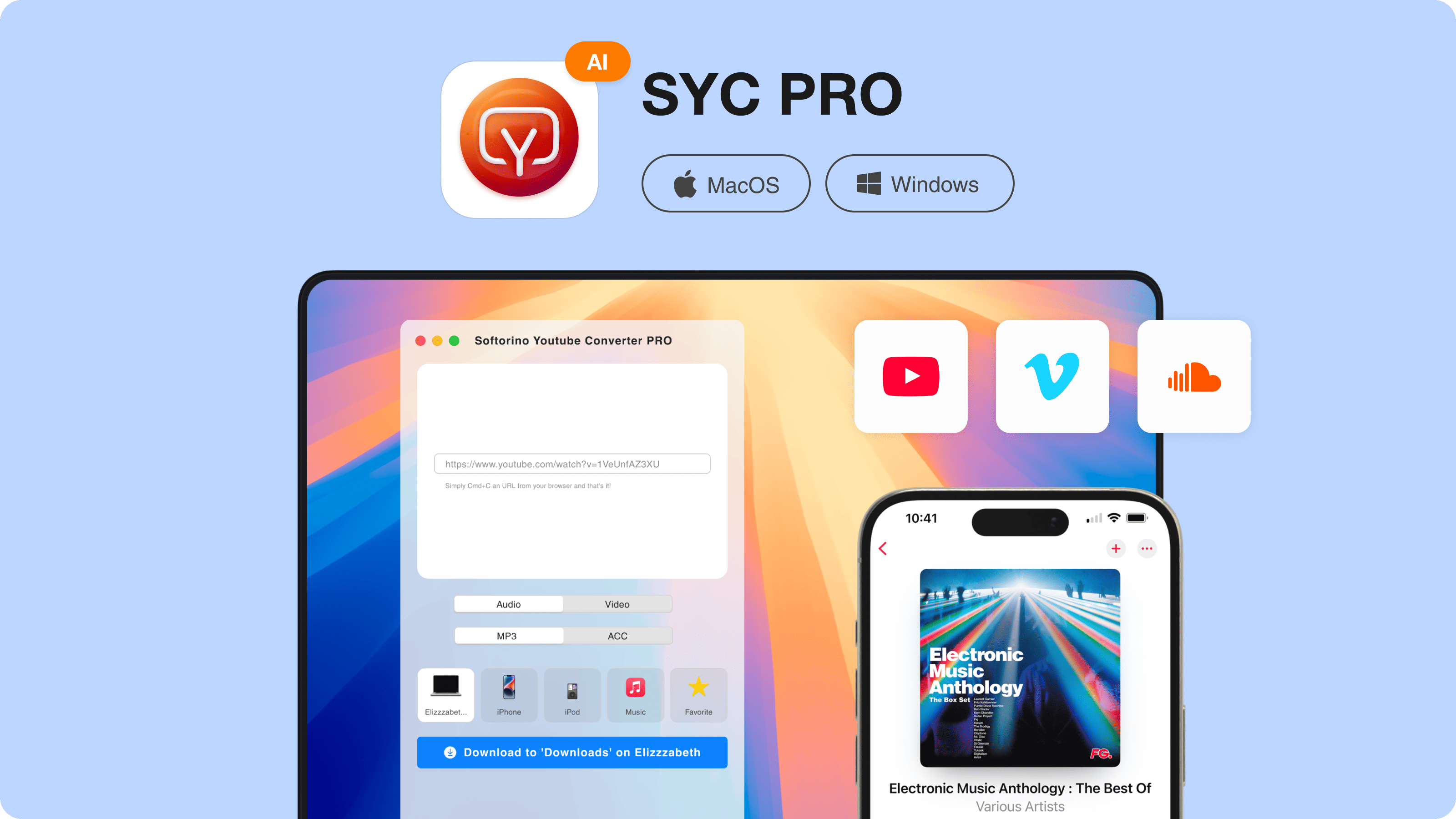
Download Softorino YouTube Converter PRO and start the free trial. Do not use the old /syc-pro URL. The current product page is the Softorino YouTube Converter page.
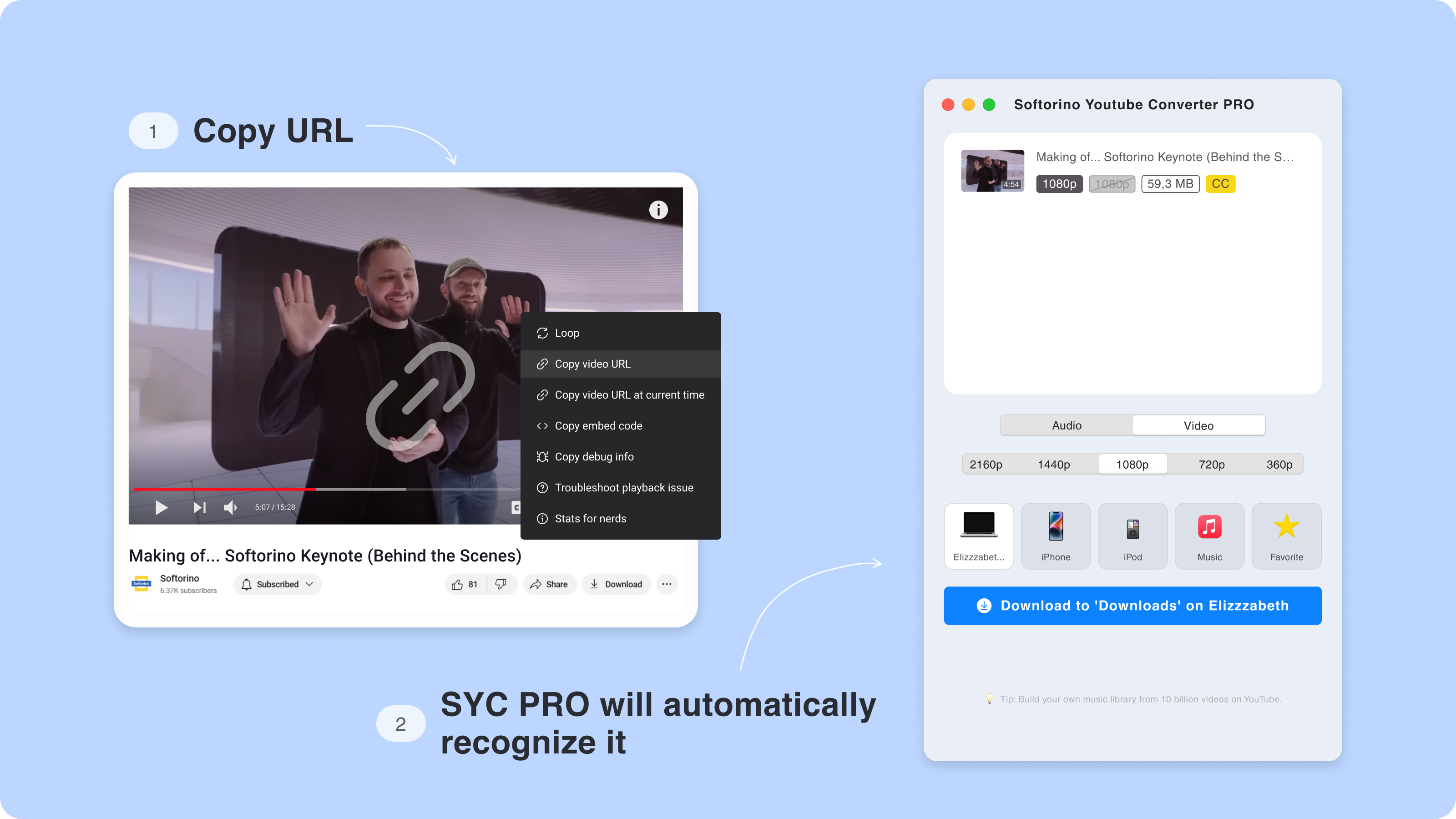
Step 2: Copy the video URL
Open the allowed YouTube video or playlist in your browser and copy the link. SYC PRO detects the copied URL, so you do not have to drag files between apps.
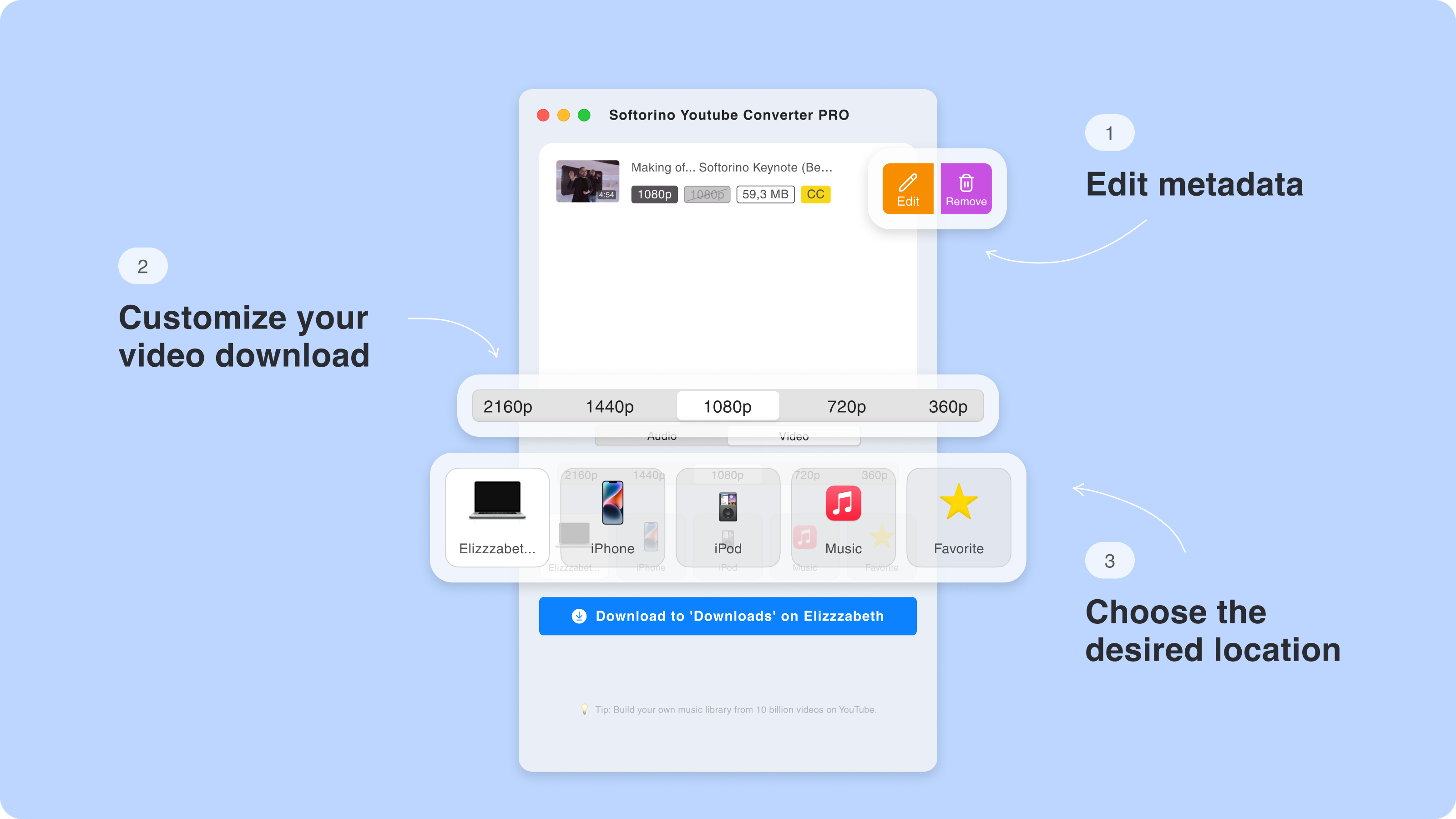
Step 3: Choose MP3 or MP4 and pick the destination
Choose MP3 for audio or MP4 for video. If you want the file on your Apple device, select iPhone, iPad, or iPod as the destination instead of saving to a desktop folder first.
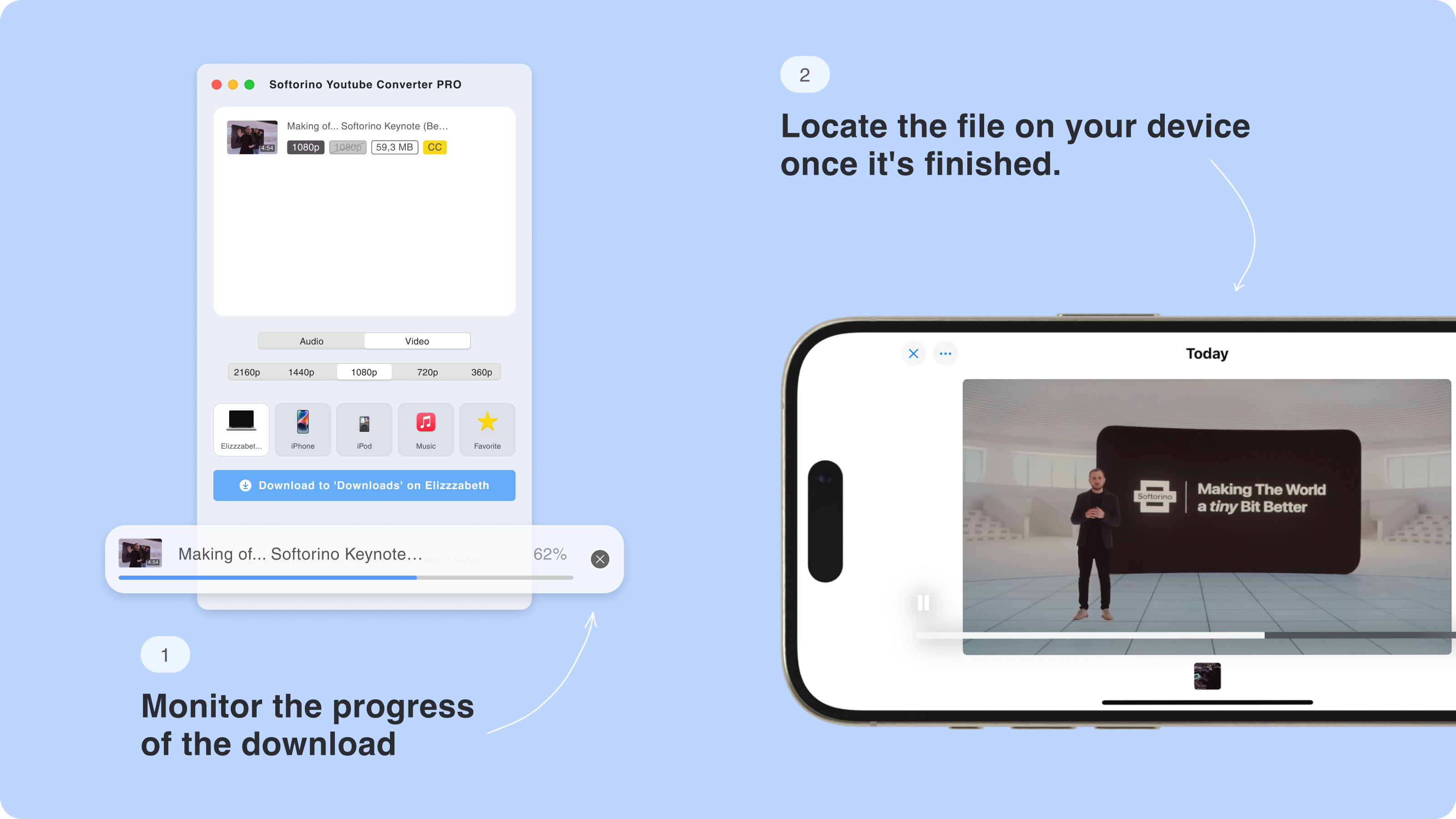
Step 4: Convert and transfer
Start the conversion and transfer. SYC PRO handles the file path in one app, so you avoid the MediaHuman plus converter plus iTunes chain.
MediaHuman vs SYC PRO
Use this comparison by job, not by feature list. MediaHuman works when you want separate desktop tools. SYC PRO works better when the destination is an Apple device.
Job | MediaHuman | SYC PRO |
|---|---|---|
Download YouTube videos | Use MediaHuman YouTube Downloader. | Download supported videos in the same app. |
Extract audio to MP3 | Use MediaHuman YouTube to MP3 Converter. | Choose MP3 in the same app. |
Convert to MP4 | May require a separate converter app. | Choose MP4 in the same workflow. |
Download playlists | Handled by the downloader app. | Playlist support is built into the SYC PRO workflow. |
Edit metadata | Depends on the app and workflow. | Metadata tools are part of the SYC PRO flow. |
Send to iPhone/iPad/iPod | Needs iTunes, Finder, or another transfer tool. | Transfers directly to Apple devices. |
Number of apps | Often 2-3 tools for a full Apple-device workflow. | One app for download, conversion, metadata, and transfer. |
Does MediaHuman transfer downloads to iPhone or iPad?
No, MediaHuman is not an iPhone transfer app. MediaHuman can download or convert files on your computer, but you still need another way to move those files to an iPhone or iPad.
That usually means iTunes on Windows, Finder on newer Macs, cloud storage, or a separate transfer tool. If you came here because you want YouTube audio or video on your iPhone, this is the part of the workflow that matters.

“I only wanted one playlist on my iPhone. The problem was not downloading the file. The problem was everything after the download.”
When MediaHuman is good enough
MediaHuman is good enough when the work starts and ends on your desktop. If you use a Mac, Windows PC, or Linux machine as your main listening or video device, separate apps may not bother you.
- You only need MP3 extraction and do not care about iPhone transfer.
- You prefer small tools that do one job each.
- You use Linux and need a downloader/converter available for that setup.
- You already have a transfer workflow you trust.
When SYC PRO is the better MediaHuman alternative
SYC PRO is the better fit when the destination is your iPhone, iPad, or iPod. It removes the part people hate: downloading in one app, converting in another, then opening iTunes or Finder to move the file.
It also fits the Softorino use case better: download allowed YouTube videos or audio, choose MP3 or MP4, keep metadata tidy, and send the result to the Apple device you wanted in the first place. If you also need related guides, Softorino has pages for downloading long YouTube videos, YouTube playlist downloads, videos with subtitles, and YouTube to MP4 conversion.

Safe downloading rules for any YouTube downloader
A safer app does not make every download okay. Keep the rights question separate from the software question.
- Download content you own, created, licensed, or have permission to save.
- Do not use downloaders to bypass paid access, DRM, private videos, or age gates.
- Use official product websites instead of download portals and ad-heavy mirrors.
- Keep source links and metadata clear so you remember where each file came from.
FAQ
Is MediaHuman safe?
Yes. MediaHuman is generally safe when downloaded from the official MediaHuman website. Avoid third-party mirrors, cracked versions, and fake download ads.
Is MediaHuman good?
Yes for desktop-only jobs like MP3 extraction, video downloading, or file conversion. It is less good if your goal is a full YouTube-to-iPhone workflow.
Can MediaHuman send downloads directly to iPhone?
No. MediaHuman downloads and converts files on your computer. You still need iTunes, Finder, cloud storage, or another transfer app to move files to iPhone or iPad.
How many MediaHuman apps do I need?
It depends on the job. You may need one app for MP3, another for video downloads, and another for conversion. That is why the workflow can feel fragmented.
What is the best MediaHuman alternative for iPhone users?
SYC PRO is the better fit if you want allowed YouTube videos or audio converted and sent to iPhone, iPad, or iPod from one app.
Verdict: safe app, fragmented workflow
MediaHuman is safe enough from the official source and useful for specific desktop jobs. It is not the smoothest choice when the job ends on an Apple device.
If you only need a desktop MP3 or video download, MediaHuman can be fine. If you want to save an allowed YouTube video or song and put it on your iPhone without juggling apps, try SYC PRO instead.

SYC PRO
Download Web Videos Like a PRO
